
React continues to shape modern front-end development, with changes in rendering, performance optimization, developer tooling, and application architecture influencing how teams build web applications. Understanding the latest ReactJS trends can help developers and businesses make informed decisions about technology choices, maintainability, and user experience.
In 2027, React development involves more than building reusable UI components. Server Components, the React Compiler, TypeScript, modern frameworks, and AI-powered interfaces are influencing how applications are designed and maintained. This guide covers ten important ReactJS trends, their practical applications, and the considerations businesses should evaluate before adopting them.
Key Takeaways
- 01
React Server Components and modern rendering strategies give developers more options for organizing application logic and delivering content. - 02
The React Compiler can automate certain performance optimizations, reducing the need for some manual memoization when properly configured. - 03
TypeScript, testing tools, and improved debugging workflows help teams maintain larger React applications with greater confidence. - 04
AI-powered interfaces, reusable design systems, and React Native create opportunities for richer digital experiences across web and mobile products. - 05
Businesses should evaluate ReactJS trends based on measurable performance, security, accessibility, development needs, and long-term maintenance costs.
How ReactJS Has Evolved
Since its introduction in 2013, React has developed from a library focused on building interactive user interfaces into a broader ecosystem supported by frameworks, development tools, and rendering capabilities. Its component-based approach remains central to how developers organize interfaces, while newer features address application performance, asynchronous updates, and server-side rendering patterns.
React 18 introduced concurrent rendering capabilities, including automatic batching and improvements to Suspense. React 19 added features such as Actions, the use API, support for document metadata, and stable React Server Components for compatible environments. Subsequent releases continue to evolve the library and its development workflows.
The React team’s official release notes are the best reference for version-specific changes. Developers should check compatibility and migration guidance before upgrading an existing application.
For a broader view of React’s development direction, read the React roadmap.
ReactJS Features and Updates to Understand in 2027
React’s recent development has focused on improving application architecture, rendering, data handling, and developer workflows. The following capabilities are particularly relevant when planning or modernizing a React project.
1. React Actions and Modern Hooks
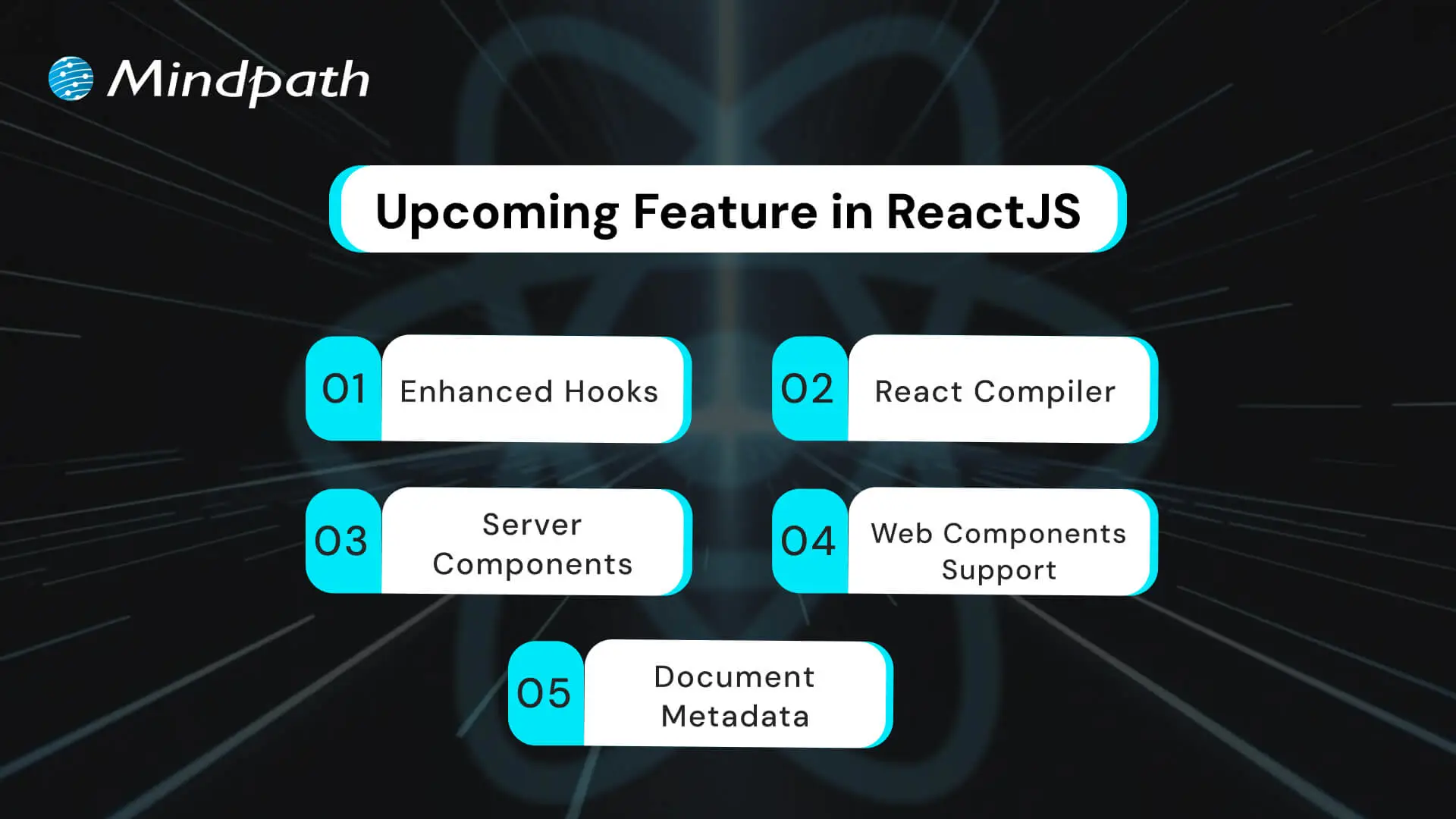
React 19 introduced Actions and APIs such as useActionState and useOptimistic to help manage common asynchronous workflows. These capabilities can simplify form submissions, pending states, error handling, and optimistic interface updates.
For example, a customer portal can display a pending state while a user updates account information. An interface may also show an expected change immediately while the application waits for the server to confirm the operation.
These APIs do not eliminate the need for backend validation, error handling, or secure data processing. They provide building blocks for managing the user experience around asynchronous operations.
2. React Compiler and Automatic Optimization
The React Compiler reached its first stable release in October 2025. It can automatically optimize React components and Hooks through memoization, reducing the need for some manual performance optimizations.
Traditionally, developers may use techniques such as memo, useMemo, and useCallback to avoid unnecessary calculations or rendering work in appropriate situations. The compiler can handle certain optimizations automatically when the code meets its requirements.
Teams should still measure performance, review compiler compatibility, and follow the recommended setup process. The compiler is not a substitute for efficient data fetching, sensible component design, or profiling real application behavior.
3. React Server Components
React Server Components allow components to render in a server-side or build-time environment separate from the client application. In compatible frameworks, they can help developers keep selected data access and rendering work on the server instead of sending all of that logic to the browser.
This approach can be useful for content-heavy pages, product catalogs, and applications that retrieve information from server-side data sources. Server Components and Client Components serve different purposes, so teams need to understand which features require browser-side interactivity.
Server Components do not automatically guarantee faster applications or better security. Performance depends on the architecture and delivery strategy, while sensitive operations still require correct authorization and data handling. Teams should also use compatible framework and bundler implementations.
4. Document Metadata and Custom Element Support
React 19 introduced native support for rendering document metadata elements, including title and meta tags, from components. It also improved support for custom elements, making it easier for React applications to interact with standards-based web components.
Metadata support can simplify some implementations by allowing page-specific titles and descriptions to be declared closer to the relevant content. However, larger applications may still benefit from framework-level metadata management for route handling, canonical URLs, and other SEO requirements.
Custom element support can also help teams integrate existing web components into a React interface. These capabilities are established features rather than merely upcoming React updates; the important consideration is how well they fit the application’s architecture.
Top ReactJS Trends to Watch in 2027
The following trends reflect how teams are using React and its surrounding ecosystem to develop modern digital products. Some are based on established React capabilities, while others are broader development practices that continue to influence React projects.
1. Server-First Application Architecture
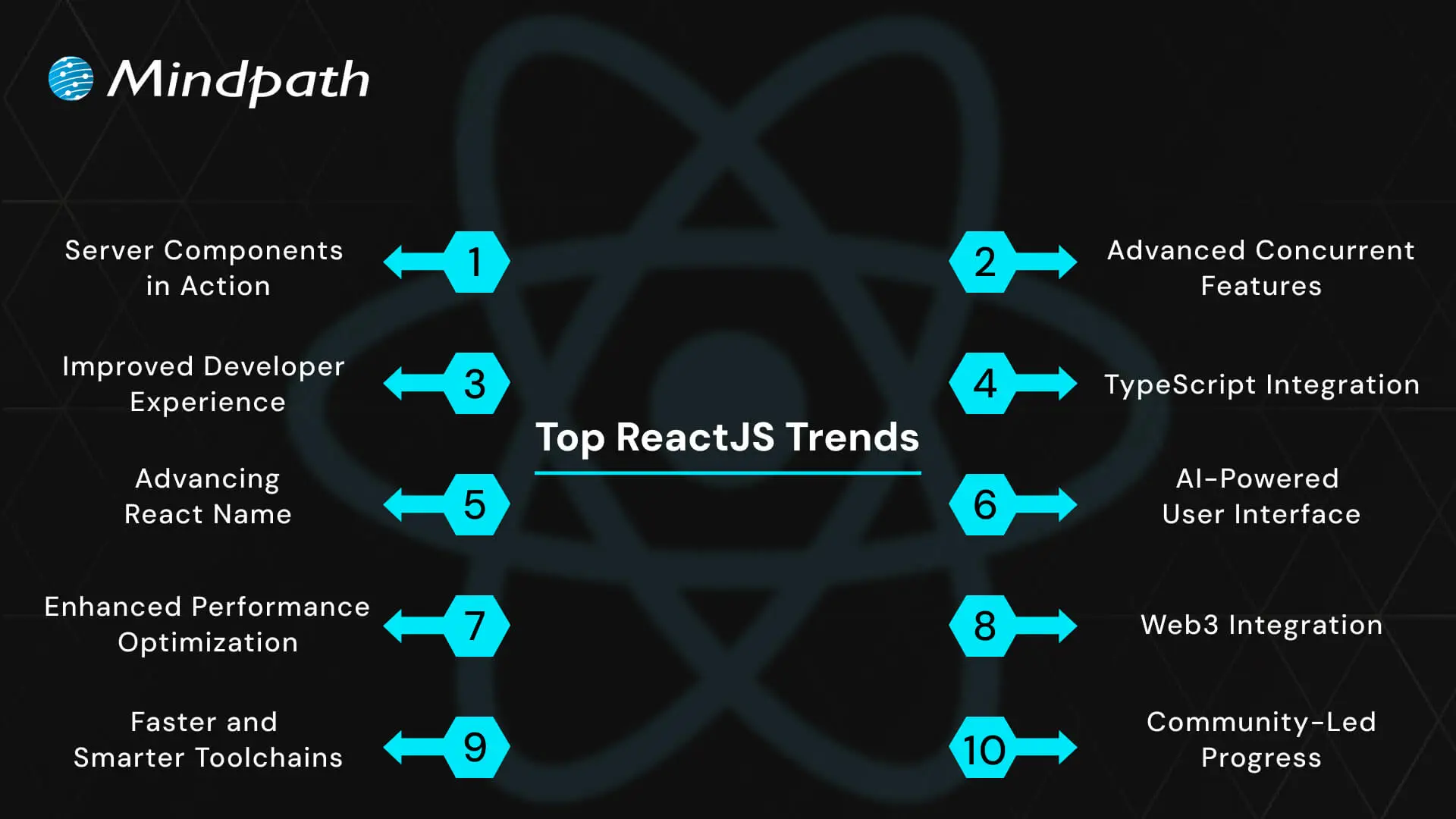
One of the important ReactJS trends is the growing use of server-oriented rendering and data access patterns. Server Components, server-side rendering, and static generation provide different ways to deliver content and manage work across server and client environments.
For example, a product listing page may render much of its content on the server while using Client Components for interactive filters, cart controls, or other browser-side actions.
The right approach depends on how frequently the content changes, whether a page requires user-specific data, the infrastructure available, and the application’s performance goals. Server-first architecture is not mandatory for every React application, especially when a simple client-rendered interface is sufficient.
2. Automated Performance Optimization with React Compiler
The React Compiler is changing how developers approach certain rendering optimizations. Instead of relying exclusively on manually added memoization, teams can use compiler-supported optimization to reduce some unnecessary recalculations and re-renders.
This can make performance-oriented code easier to maintain, particularly in interfaces with many reusable components. However, results vary with the application, its dependencies, and the code being compiled.
Developers should still use profiling tools, monitor Core Web Vitals for public-facing websites, and investigate expensive rendering, network requests, or large JavaScript bundles. Automated optimization works best as part of a broader performance strategy.
3. Concurrent UI and Responsive Interactions
React’s concurrent rendering capabilities allow rendering work to be prioritized so that urgent interactions can remain responsive while less urgent updates are prepared. Features such as transitions and Suspense help developers manage updates and loading states in suitable application designs.
For example, a search interface may keep text entry responsive while results update in the background. A complex dashboard can use loading boundaries to display useful interface elements while selected content is being prepared.
These capabilities require thoughtful implementation. Suspense boundaries, transitions, data loading, and error states should be designed around actual user journeys rather than added without a clear purpose.
4. TypeScript for More Maintainable React Applications
TypeScript continues to be a useful choice for React teams that need clearer contracts between components, reliable data models, and maintainable codebases. It adds static type checking to JavaScript and can identify certain mistakes during development before the application runs.
For example, a reusable component can define the properties it accepts, while an API response can be represented using an explicit data type. These practices help teams understand how different parts of an application fit together.
TypeScript does not prevent every runtime error, validate untrusted API data automatically, or replace testing. Teams still need appropriate runtime validation, automated tests, code reviews, and consistent development practices.
5. Better Developer Tooling and Testing Workflows
React development increasingly relies on tools that help teams inspect component behavior, diagnose rendering issues, test user interactions, and automate code-quality checks. React Developer Tools, browser profiling tools, testing libraries, and static analysis can help identify problems earlier in the development process.
A reliable workflow may combine component tests, integration tests, end-to-end testing, accessibility checks, and continuous integration. These practices are especially important for applications with complex workflows or frequent releases.
Tools should be selected based on the project’s requirements, team familiarity, and maintenance needs. Adding more tools is not inherently better if they create duplicated checks or unnecessary complexity.
6. AI-Powered User Interfaces
React is frequently used to build interfaces for applications that include AI-powered features. These may include conversational assistants, content generation tools, semantic search, document summarization, recommendation interfaces, and AI-supported workflow automation.
React can manage the interactive interface while backend services handle model requests, data retrieval, permissions, and business logic. Streaming responses and clear loading states can help users understand that a request is in progress.
AI-powered interfaces need more than an attractive front end. Developers should plan for latency, errors, usage limits, privacy, access controls, and the possibility of inaccurate model responses. AI output should be presented with appropriate context and verification options when accuracy matters.
7. Performance, Accessibility, and User Experience
Performance remains an important consideration for React applications, but user experience depends on more than rendering speed. Developers must also consider navigation, keyboard access, readable layouts, error recovery, responsive design, and how quickly users can complete important tasks.
Useful practices include code splitting, efficient data fetching, optimized assets, accessible components, and testing with real devices. Public-facing websites should also monitor Core Web Vitals and investigate issues identified through performance measurements.
The best optimization priorities come from evidence. Teams should identify the pages and interactions that create friction, measure the impact of changes, and avoid adding complexity for improvements that do not meaningfully benefit users.
8. React Native and Shared Product Experiences
React Native remains relevant for businesses that want to build mobile applications using React concepts and JavaScript or TypeScript. It provides a separate development approach from React for the web, while allowing teams to share selected business logic and development knowledge where appropriate.
A company may offer a React web portal alongside React Native mobile apps. Shared validation rules, API clients, and domain logic can sometimes be reused, while navigation, UI components, and device integrations may require platform-specific implementations.
Cross-platform development should be evaluated against the required native capabilities, accessibility, performance, release process, and available skills. Code reuse can be valuable, but it does not remove the need for platform-specific testing and maintenance.
9. Modern Frameworks and Faster Development Toolchains
Frameworks and build tools influence how React applications handle routing, rendering, data loading, bundling, testing, and deployment. Tools such as Vite and frameworks such as Next.js offer different workflows and capabilities depending on the project.
A lightweight client-rendered application may need a different setup from a content-heavy website that benefits from server rendering or static generation. Developers should choose a toolchain based on deployment requirements, integrations, team experience, and long-term maintenance.
Faster local builds and convenient development feedback can improve day-to-day productivity. However, build speed alone should not determine the architecture. Production performance, security, reliability, and upgrade paths also matter.
10. Design Systems and Reusable UI Components
As applications grow, design systems and shared component libraries help teams maintain consistent visual patterns and interactions. A design system may include typography, spacing, colors, accessible form controls, navigation patterns, buttons, tables, and documented component behavior.
In a React project, reusable components can reduce duplicated implementation and make updates more consistent across pages. A shared component library can also help multiple teams work from common interface standards.
To be effective, a design system needs clear documentation, accessibility testing, versioning, and a process for handling changes. Teams should avoid creating abstractions for every small variation when a simpler component would meet the requirement.
How Businesses Can Evaluate ReactJS Trends
Not every new capability needs to be adopted immediately. Businesses should evaluate ReactJS trends based on the problems they are trying to solve, the constraints of their existing applications, and the value a change is expected to deliver.
1. Start with a Specific Business or User Need
Identify whether the priority is page performance, maintainability, a new interactive feature, a better mobile experience, or a more efficient development workflow. A clear goal helps teams choose relevant technologies instead of adopting tools simply because they are new.
2. Review Compatibility and Migration Requirements
Check React version requirements, framework support, dependencies, deployment constraints, and migration risks before introducing a new feature. For established applications, a phased rollout may be safer than changing multiple architectural elements at once.
3. Test Performance and Usability
Use profiling, automated tests, accessibility checks, and real-user feedback to evaluate whether a change improves the application. Record a baseline before implementation so that results can be compared objectively.
4. Account for Security and Maintenance
Review dependency health, access controls, data handling, update policies, and operational responsibilities. AI features and server-side capabilities may introduce additional data and security considerations that need to be addressed before deployment.
5. Measure Results Before Scaling
Start with a limited pilot when possible. Measure outcomes such as task completion time, error rates, page performance, development effort, and user feedback. Expand the implementation when the results support the original objective.
Challenges to Consider When Adopting New ReactJS Practices
New features and tools can improve development workflows, but adoption also introduces trade-offs. Businesses and development teams should consider these common challenges.
1. Compatibility and Migration Complexity
Older applications may depend on libraries, build tools, or patterns that are not immediately compatible with newer React capabilities. Teams should review upgrade guides, test critical workflows, and schedule migrations according to risk and business priorities.
2. Performance Is Not Automatic
Server Components, compilers, and modern toolchains provide useful options, but no single feature guarantees an optimal user experience. Applications still need careful data fetching, asset management, error handling, and performance testing.
3. Learning Curve and Team Readiness
New rendering patterns and tools may require changes to how developers structure components, load data, and test interfaces. Documentation, code reviews, training, and incremental adoption can help teams build confidence without disrupting delivery.
4. Security and Data Governance
Server-side rendering and AI integrations introduce important questions about access permissions, sensitive information, API usage, and data retention. Teams must ensure that server-only logic and credentials remain protected and that user-specific data is handled correctly.
What Is Next for ReactJS Development?
React’s continued development points toward more flexible rendering strategies, automated optimization, improved asynchronous workflows, and closer integration with modern application frameworks. At the same time, broader engineering practices such as TypeScript, accessibility testing, reusable design systems, and AI integration are shaping how React applications are built.
The most useful direction for a business is not necessarily the newest feature. It is the combination of technologies and development practices that addresses real user needs, supports the product roadmap, and remains maintainable over time.
Teams should follow official release notes, test upgrades in controlled environments, and regularly review their performance, security, and accessibility requirements. This approach helps businesses adopt relevant changes while avoiding unnecessary technical complexity.
Final Thoughts
The key ReactJS trends in 2027 include server-oriented application architecture, React Compiler, concurrent UI patterns, TypeScript, improved developer tooling, AI-powered interfaces, performance and accessibility, React Native, modern frameworks, and reusable design systems.
Each trend offers opportunities, but the right choice depends on the application’s goals, technical requirements, team capabilities, and long-term maintenance plan. By evaluating changes carefully and measuring their impact, businesses can keep their React applications aligned with evolving user expectations and development practices.
At Mindpath, we help businesses build and modernize digital products around their technical and operational requirements. Our ReactJS development services support organizations planning interactive, maintainable, and scalable web applications.