
Latest Insights On
GenAI, Tech, and Digital Transformation
Stay updated with expert insights, success stories, and real-world applications of cutting-edge technology.
Building a new product requires founders to balance business goals, limited budgets, investor expectations, and launch deadlines. Without a clear plan, development costs can rise quickly, and delays can push a product launch further away. Understanding MVP development cost early helps founders prioritize essential features, allocate resources wisely, and make informed decisions before development begins.
Key Takeaways
- 01
MVP development cost depends on product complexity, features, platform, and technical requirements. - 02
Clear feature priorities help founders control budgets and avoid unnecessary development expenses. - 03
A realistic MVP development timeline supports better planning and resource allocation. - 04
Choosing the right development team helps maintain quality and delivery efficiency. - 05
Post-launch maintenance and improvements should be included in the overall budget.
The total investment depends on product complexity, platform requirements, integrations, team structure, and testing needs. A realistic budget and timeline can help prevent scope creep and set achievable expectations. In this blog, we cover MVP development costs in 2027, estimated timelines, key pricing factors, and practical ways to plan your budget.
What Is an MVP, and Why Does It Matter for Startups?
A minimum viable product (MVP) is an early version of a product with enough core functionality to test a business idea with real users. In MVP app development, the goal is to validate demand and gather feedback before investing in a full-scale product.
An MVP helps startups make better decisions through these key benefits:
1. Validate Assumptions
Gather real user feedback to understand whether the product solves a genuine problem.
2. Prioritize Features
Identify which functionalities users need most before expanding the product.
3. Reduce Investment Risk
Test market demand before committing significant resources to unproven ideas.
4. Attract Investor Interest
Use early user feedback and validation results to strengthen funding discussions.
5. Improve Product Usability
Identify friction points and refine the user experience based on actual usage.
6. Accelerate Time to Market
Launch essential features sooner and begin learning from real customers.
7. Support Informed Decisions
Use user behavior and feedback to guide future development priorities.
An MVP differs from a prototype, which primarily demonstrates a concept or user flow. A fully developed product offers broader functionality, while an MVP focuses on essential features that deliver core value. Its success depends on meaningful user insights and usability, not the number of features it includes.
How Much Does It Cost to Build an MVP in 2027?
The MVP development cost in 2027 depends on the product’s complexity, required features, and technical requirements. A basic product requires less development effort, while applications with multiple user roles, advanced integrations, or complex business logic need a larger investment. The following MVP development pricing ranges provide an initial budgeting reference.
| MVP Type | Indicative Cost (USD) | Typical Scope |
|---|---|---|
| Basic MVP | $10,000–$25,000 | Core features, simple workflows, limited integrations |
| Mid-Complexity MVP | $25,000–$60,000 | Multiple user roles, APIs, dashboards, complex workflows |
| Complex MVP | $60,000–$120,000+ | Advanced integrations, complex business logic, demanding security or scalability requirements |
These figures are indicative planning estimates, not fixed quotes or universal market averages. Actual costs vary by development location, team experience, technology choices, product requirements, and engagement model.
Certain requirements can increase the budget considerably. AI-enabled functionality, real-time processing, regulated data handling, and multiple third-party integrations often require additional engineering, testing, and security measures.
Before approving a quote, founders should confirm what the estimate covers, including UI/UX design, quality assurance (QA), project management, deployment, and post-launch support. Comparing proposals against the same scope helps identify hidden expenses and establish a more realistic budget for development costs.
MVP Development Timeline: How Long Does It Take to Develop an MVP?
A typical MVP takes 6–14 weeks to develop, while complex products may require 16–24 weeks or longer. The timeline depends on feature complexity, platform requirements, integrations, team size, and testing needs.
| Development Phase | Estimated Duration | Key Activities |
|---|---|---|
| Discovery and Planning | 1–2 weeks | Requirements, core features, project scope |
| UI/UX Design | 1–3 weeks | Wireframes, user journeys, interface design |
| Core Development | 3–7 weeks | Frontend, backend, essential features |
| Testing and Refinement | 1–2 weeks | Quality checks, bug fixes, usability testing |
| Deployment and Launch | 1 week | Production setup, release, performance monitoring |
These are indicative estimates, and some phases can overlap. Changing requirements, delayed approvals, and integration challenges may extend delivery. Defining milestones early helps founders manage the MVP development cost, avoid unnecessary delays, and maintain product quality.
How to Reduce MVP Development Cost Without Sacrificing Quality
Founders can control development expenses by making informed decisions before and during development. These strategies help keep the project focused while maintaining functionality, security, and usability.
1. Prioritize Essential Features
Build only the features needed to solve the primary user problem. Defer secondary functionality until user feedback justifies further investment.
2. Validate Before Coding
Use customer interviews, wireframes, and clickable prototypes to test assumptions before committing to expensive development work.
3. Choose the Right Platform
Select web, native mobile, or cross-platform development based on user needs and product requirements.
4. Reuse Proven Tools
Use established APIs, authentication services, and managed cloud infrastructure where appropriate to reduce development effort.
5. Avoid Premature Scaling
Build for current requirements while keeping future expansion in mind, rather than investing in unnecessary infrastructure.
6. Define Clear Requirements
Establish deliverables, milestones, and approval processes before you hire MVP developers to minimize costly scope changes.
7. Plan a Realistic Schedule
A well-defined MVP development timeline helps coordinate resources and reduce delays without rushing testing or compromising quality.
Should You Hire MVP Developers or Choose an MVP Development Company?
Choosing the right development model depends on your budget, technical expertise, project complexity, and need for ongoing support.
| Development Model | Key Advantages | Potential Limitations | Best Suited For |
|---|---|---|---|
| Freelance Developers | Flexible hiring and lower initial overhead | Requires coordination across different specialists | Small, clearly defined MVPs |
| In-House Team | Greater control and long-term product knowledge | Recruitment, salaries, and ongoing management costs | Startups building products continuously |
| MVP Development Company | Coordinated expertise in planning, design, development, and testing | Engagement costs vary by scope and service level | Founders seeking end-to-end development support |
Before choosing a partner, evaluate technical expertise, relevant experience, pricing transparency, project milestones, source-code ownership, and post-launch support.
The right development model helps founders balance delivery quality, available resources, and MVP development cost while keeping product goals and future development needs in focus.
Plan Your MVP Budget and Launch Timeline with Mindpath
Planning your MVP development cost and timeline starts with clear priorities, realistic budgets, and the right development approach. Focus on essential features, validate your idea with real users, and account for ongoing maintenance. These decisions help founders reduce unnecessary spending while building a reliable product for future growth.
At Mindpath, we provide MVP development services to help startups turn ideas into market-ready products through strategic planning, design, development, and testing. As an experienced MVP development company, we help founders build focused products aligned with their goals.
Key Takeaways
- 01
Native development offers better control over performance and platform-specific features. - 02
Cross-platform development allows code reuse across iOS and Android. - 03
Development costs depend on testing, maintenance, integrations, and future updates. - 04
Product requirements, team expertise, and launch timelines help determine the right approach. - 05
Scalable architecture and quality engineering support long-term mobile app growth.
Choosing the right mobile app architecture can shape your product’s performance, development budget, and ability to grow. A decision made too early without evaluating business needs can lead to unnecessary costs, technical limitations, and maintenance challenges as user expectations evolve.
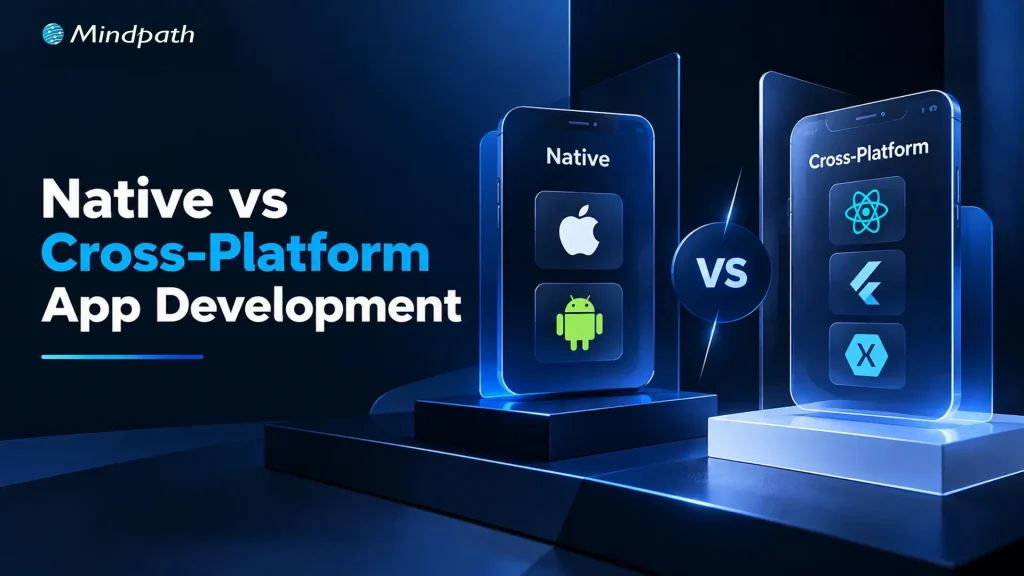
Native vs cross-platform app development is a strategic decision that influences user experience, development timelines, platform integration, and long-term scalability. Neither approach is universally better; the right choice depends on your product requirements, target platforms, engineering capabilities, and growth plans. In this blog, we compare both approaches and explain how to choose the right fit for your business.
What is Native App Development?
Native app development involves building applications specifically for an operating system. Developers use Swift or SwiftUI for Apple platforms and Kotlin with Jetpack Compose for Android. This approach provides direct access to platform APIs, native interface components, and device capabilities, making it suitable for applications that require deep system integration and precise control over user experience.
Here are the benefits of Native App Development:
1. High Performance
Native applications offer direct access to operating system capabilities, making them suitable for demanding workloads and complex interactions.
2. Better Platform Integration
Developers can use device features, system APIs, biometrics, notifications, and hardware capabilities with greater control.
3. Platform-Specific User Experience
Native interfaces follow iOS and Android design conventions, supporting familiar navigation and interactions.
4. Greater Technical Control
Teams can optimize application behavior, manage platform-specific functionality, and adopt new operating system features.
5. Reliable Feature Customization
Native development supports specialized functionality that depends on advanced device capabilities or platform-specific libraries.
What is Cross-Platform App Development?
Cross-platform app development uses frameworks such as Flutter and React Native to build applications for multiple operating systems while sharing much of the codebase. This can reduce duplicated development effort and simplify updates across platforms.
However, shared code does not eliminate platform-specific implementation, testing, or maintenance. Some features still require native modules or operating-system-specific adjustments. The choice between these approaches depends on the product’s complexity, performance requirements, available resources, and long-term goals.
Here are the benefits of Cross-Platform App Development:
1. Code Reusability
Teams can share substantial portions of the codebase across iOS and Android, reducing duplicated implementation.
2. Faster Development
Shared components and business logic can help teams deliver features across platforms more efficiently.
3. Lower Development Effort
Maintaining a shared codebase can reduce engineering effort when compared with building two largely separate applications.
4. Consistent Functionality
Shared logic helps maintain consistent workflows, validation rules, and core features across platforms.
5. Simplified Feature Updates
Teams can implement many changes in shared code, making updates easier to coordinate across supported platforms.
Native vs. Cross-Platform: Key Differences That Matter
Choosing between native and cross-platform development requires evaluating how each approach handles performance, user experience, development effort, and ongoing maintenance. The following comparison highlights the factors that matter most when planning a mobile application.
| Decision Factor | Native Development | Cross-Platform Development |
|---|---|---|
| Performance | Offers direct platform integration and fine-grained optimization | Delivers strong performance for many applications, depending on implementation |
| User Experience | Provides precise control over platform-specific interfaces | Supports consistent experiences with platform-specific customization |
| Development Effort | Often requires separate implementations for iOS and Android | Reuses code across platforms, reducing duplicated work |
| Device Integration | Provides direct access to platform APIs and device capabilities | Depends on framework support, plugins, and native modules |
| Maintenance | Requires managing platform-specific codebases | Shared code can simplify updates, although platform-specific work remains |
| Testing | Requires separate platform validation and regression testing | Requires cross-platform testing and platform-specific validation |
| Scalability | Supports products requiring deep platform-specific control | Supports shared product functionality across multiple platforms |
1. Performance and Responsiveness
Native applications provide direct access to operating system capabilities, making them suitable for graphics-intensive workloads, complex animations, and demanding device interactions.
Cross-platform frameworks can also deliver strong performance, particularly for standard business applications. Actual results depend on application architecture, implementation quality, and workload complexity.
2. User Experience and Platform Integration
Native development offers greater control over platform conventions, accessibility, biometrics, notifications, and hardware integration. Cross-platform frameworks support polished interfaces across operating systems, but specialized interactions may require platform-specific adjustments to maintain a consistent user experience.
3. Development Efficiency and Maintenance
Native development can require separate implementations and coordinated updates for each platform. Cross-platform development allows teams to reuse business logic and selected interface components, potentially reducing duplicated effort.
However, framework upgrades, device compatibility, third-party dependencies, and platform-specific features still require ongoing maintenance.
Ultimately, Native vs cross-platform app development involves balancing technical control with development efficiency. The best approach depends on the application’s requirements, available engineering resources, and expected product evolution.
When Should You Choose Native App Development?
Native development is a strong choice when an application’s core functionality depends on advanced device capabilities, demanding workloads, or precise control over the operating system. Businesses should consider the following factors before committing to a native architecture.
1. Performance-Critical Applications
Apps involving complex animations, intensive graphics, real-time interactions, or specialized processing may benefit from native optimization and direct platform access.
2. Advanced Device Integration
Applications that rely heavily on Bluetooth, specialized sensors, background services, biometrics, or emerging operating system APIs can benefit from native capabilities.
3. Platform-Specific Experiences
Products requiring distinct iOS and Android interfaces, platform conventions, or deeply integrated system features may need separate native implementations.
4. Complex Product Requirements
Applications with specialized libraries, demanding technical workflows, or extensive platform-level integrations can benefit from greater architectural control.
5. Long-Term Technical Flexibility
Native development allows teams to optimize each platform independently and adopt new operating system capabilities as product requirements evolve.
Businesses considering native app development services should also evaluate the additional engineering effort involved in maintaining separate codebases, testing platform-specific releases, and coordinating updates.
When Is Cross-Platform App Development the Better Choice?
Cross-platform app development is a practical option for businesses that want to launch on iOS and Android while reusing a substantial portion of their application code. It can reduce duplicated engineering effort and help teams deliver core features efficiently without compromising essential product requirements.
1. Launching on Multiple Platforms
Businesses can build applications for iOS and Android using a shared codebase, helping coordinate feature releases and maintain consistent functionality.
2. Building a Minimum Viable Product (MVP)
Startups can validate product assumptions, gather user feedback, and refine core features before committing to separate native implementations.
3. Managing Development Resources
Shared code can reduce duplicated implementation and help engineering teams use their time more efficiently.
4. Maintaining Consistent Functionality
Reusing business logic and validation rules helps maintain consistent workflows across platforms while allowing necessary interface adjustments.
5. Supporting Frequent Product Updates
Teams can implement many feature changes in shared code, simplifying updates across platforms when framework capabilities support the requirements.
Choosing suitable cross-platform app development services also requires evaluating framework maturity, third-party library support, native integration requirements, and the availability of skilled developers.
How to Choose the Right Approach for Your Business?
Choosing between native and cross-platform development requires evaluating your product requirements, budget, team expertise, and long-term goals. The right approach should support your current priorities without creating unnecessary technical complexity as your application grows.
1. Evaluate Product Requirements
Identify essential features, performance expectations, device integrations, offline capabilities, and accessibility needs before selecting a development approach. Reviewing development technologies can also help you understand the available options when planning your product architecture.
2. Compare Total Cost of Ownership
Consider initial development, testing, maintenance, platform upgrades, third-party dependencies, and future enhancements when estimating long-term costs.
3. Assess Time to Market and Team Expertise
Evaluate release deadlines, existing technical skills, and developer availability to determine which approach best fits your delivery plan. Businesses should hire mobile app developers with relevant native or cross-platform expertise.
4. Plan for Growth
Consider future features, security requirements, integrations, and expected usage. Scalability also depends on backend architecture, data design, and engineering quality. Following agile development practices can help teams adapt as requirements change.
5. Align Development with Startup Goals
For native vs cross-platform for startup apps, consider whether rapid validation, platform coverage, or specialized functionality matters most. Choose the approach that supports your product roadmap and available resources.
Which Mobile App Development Approach Is Right for Your Business?
Choosing the right mobile app architecture depends on your performance requirements, budget, user expectations, and long-term goals. Native vs cross-platform app development requires careful evaluation of technical needs and business priorities. Which approach will best support your product’s growth? Make an informed decision before development begins.
At Mindpath, we provide mobile app development services tailored to your business requirements, helping you select suitable technologies, build scalable applications, and deliver reliable user experiences. Our development expertise supports your product goals through thoughtful architecture and quality engineering. Partner with us to plan your next mobile application.
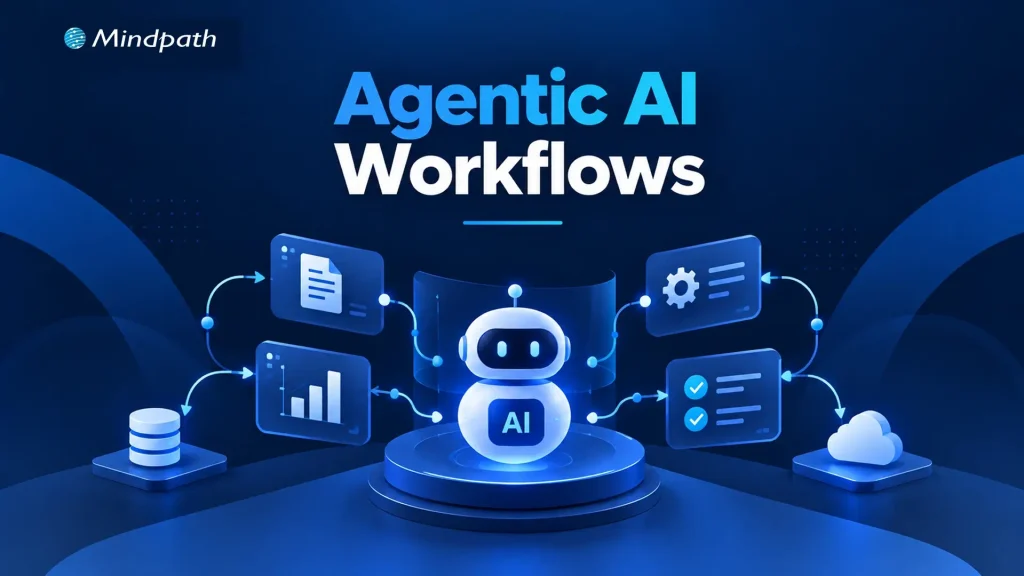
Traditional automation works well when processes follow predictable rules. However, business operations often involve changing conditions, incomplete information, and decisions that cannot be handled through fixed instructions alone. Agentic workflows help address these challenges by enabling AI agents to interpret context, select actions, and coordinate multi-step tasks within defined boundaries.
Key Takeaways
- 01
Agentic workflows help AI agents manage multi-step tasks and adapt to changing conditions. - 02
Sequential, routing, planning, and parallel patterns address different business workflow requirements. - 03
Human approval and clear permissions help control risks during sensitive business operations. - 04
Reliable data, defined boundaries, and thorough testing support consistent workflow execution. - 05
Monitoring performance and business outcomes helps improve workflows and guide responsible autonomy.
Building these workflows requires more than connecting AI tools. Businesses need clear objectives, reliable data, decision-making logic, and appropriate human oversight to ensure consistent execution. In this blog, we examine the design patterns, business applications, and implementation principles behind agentic workflows.
Looking to implement agentic workflows in your business?
Mindpath offers AI consulting services to help businesses identify suitable AI opportunities and design workflows aligned with their operational goals.
What Makes an Agentic Workflow Different from Traditional Automation?
Traditional automation executes predefined rules to complete repetitive tasks. AI-assisted workflows add capabilities such as interpreting documents, summarizing information, and recommending decisions. However, agentic workflows allow AI agents to choose appropriate tools, determine the next steps, and adjust their approach based on intermediate results, within established boundaries.
The key difference lies in how each approach handles decisions and changing conditions. Businesses must also determine which actions can run independently and which require human approval. Greater flexibility brings additional responsibilities for validating outputs, monitoring execution, and managing exceptions.
| Capability | Rule-Based Automation | AI-Assisted Workflows | Agentic Workflows |
|---|---|---|---|
| Decision-making | Predefined rules | AI-supported recommendations | Context-based, bounded decisions |
| Adaptability | Limited to configured rules | Interprets variable inputs | Adjusts actions based on results |
| Tool usage | Fixed integrations | AI features and connected tools | Selects tools according to task needs |
| Human oversight | Rule configuration and exception handling | Often reviews AI outputs | Sets autonomy limits and approval checkpoints |
The right approach depends on task complexity, business risk, and the level of decision-making required.
Six Design Patterns for Building Reliable Agentic Workflows
An effective agentic AI workflow needs a structure that matches its business objective. Design patterns determine how agents process tasks, make decisions, coordinate actions, and manage exceptions. Choosing the right pattern helps businesses maintain control while improving execution.
1. Sequential Workflow Pattern
How it works: Tasks follow a defined sequence. Each stage uses the previous stage’s output.
Business example: An agent gathers customer requirements, analyzes needs, drafts proposals, and requests approval.
Design consideration: Validate outputs between stages. This prevents errors from affecting subsequent tasks.
2. Routing and Conditional Decision Pattern
How it works: An agent classifies requests and directs them to appropriate workflows or specialists.
Business example: Support requests are routed according to urgency, product, and customer impact.
Design consideration: Define clear routing criteria. Provide fallback paths for ambiguous requests.
3. Planning and Iterative Execution Pattern
How it works: An agent plans tasks, evaluates results, and adjusts subsequent actions.
Business example: An agent investigates supply delays, compares alternatives, and recommends recovery plans.
Design consideration: Limit execution steps, tool calls, and retries. Set time limits to prevent endless execution loops.
4. Parallel Execution and Aggregation Pattern
How it works: Independent tasks run simultaneously. Their results are combined into one validated output.
Business example: Agents assess vendor pricing, delivery reliability, and contract requirements concurrently.
Design consideration: Check every subtask for completion. Resolve conflicting findings before producing recommendations.
5. Supervisor and Specialized Agents Pattern
How it works: A coordinating agent delegates tasks to specialized agents and reviews their outputs.
Business example: Research, financial analysis, and compliance agents support vendor evaluations.
Design consideration: Assign distinct responsibilities to each agent. Control handoffs and validate combined results.
6. Human-in-the-Loop Approval Pattern
How it works: Work pauses when decisions require human authorization. Execution resumes after approval.
Business example: An agent recommends purchases but awaits approval before placing orders.
Design consideration: Define approval thresholds and escalation paths. Maintain audit records for consequential actions.
These patterns can operate independently or combine within larger agentic workflows, depending on task complexity and business risk. The priority is to balance autonomy with reliable execution, clear responsibilities, and appropriate oversight.
Five Business Examples of Agentic Workflows
Practical agentic workflow examples show how AI agents can coordinate business tasks, support decisions, and reduce repetitive work. Their value depends on reliable data, clear permissions, and appropriate human oversight.
1. Customer Support and Issue Resolution
AI agents classify tickets and retrieve relevant customer information. They draft responses or execute approved actions, escalating sensitive requests for review.
2. Sales Qualification and CRM Management
Agents research prospects and assess leads against predefined criteria. They update CRM records and recommend relevant follow-up actions.
3. Supply Chain and Procurement
AI agents monitor inventory, supplier updates, and pricing changes. They identify potential disruptions and recommend suitable procurement decisions.
4. Software Development and IT Operations
Agents investigate alerts, analyze logs, and run approved diagnostics. They recommend fixes while escalating risky changes for authorization.
5. Finance and Business Operations
AI agents extract invoice details and verify purchase order information. They flag discrepancies and route exceptions to authorized finance teams.
How to Design an Agentic Workflow for Your Business
Effective AI workflow automation starts with a suitable business process. A structured implementation helps businesses manage risks, maintain control, and measure results.
1. Identify a Suitable Business Process
Choose repetitive tasks involving multiple steps and decisions. Avoid processes where simpler automation already performs well.
2. Define the Agent’s Scope and Boundaries
Specify permitted actions, tools, and data access. Establish approval requirements and clear success criteria.
3. Connect Reliable Data and Business Systems
Integrate approved APIs, CRM platforms, ERP systems, and knowledge bases. Apply access controls and validate incoming data.
4. Test Before Expanding Autonomy
Evaluate accuracy, execution time, and failure recovery. Test edge cases before enabling real-world actions. A structured AI agent testing process helps identify weaknesses before workflows are deployed at scale.
5. Monitor Business Outcomes
Track completion rates, errors, costs, and processing time. Review results regularly and refine workflow logic.
Common Design Mistakes That Undermine Agentic Workflows
Poor implementation decisions can make AI workflows unreliable, expensive, and difficult to manage.
- Excessive Autonomy: Allowing consequential actions without sufficient safeguards.
- Unclear Responsibilities: Overlapping agents can duplicate tasks or conflict.
- Poor Data Quality: Incomplete information can lead to incorrect decisions.
- Missing Recovery Mechanisms: Unhandled errors can interrupt workflow execution.
- Insufficient Monitoring: Missing logs make failures harder to investigate.
- Unnecessary Complexity: Multiple agents can increase coordination overhead without adding value.
Reliable agentic workflows require autonomy levels and system complexity that match business needs. Clear responsibilities, validated data, recovery mechanisms, and appropriate oversight help maintain consistent execution.
How Can Your Business Put Agentic Workflows into Practice?
Successful agentic workflows depend on choosing suitable design patterns, connecting reliable data sources, and defining clear operational boundaries. Businesses should measure accuracy, efficiency, and task completion before expanding autonomy. A gradual approach helps teams identify limitations, strengthen safeguards, and establish confidence in AI-driven execution.
Mindpath helps businesses turn AI opportunities into practical implementations through AI consulting, AI agent development, data engineering, and business system integration. Our team can help design workflows aligned with your operational goals, existing infrastructure, and governance requirements.

Business data holds valuable insights, but poor quality, scattered records, and inconsistent formats can make those insights difficult to unlock. When businesses introduce AI without addressing these issues, even capable models can produce unreliable results. The real challenge is making existing data accurate, relevant, and usable for meaningful business decisions.
Key Takeaways
- 01
Assess existing data sources to identify gaps, inconsistencies, and information needed for specific AI applications. - 02
Clean and validate records to improve data reliability and reduce misleading AI outputs. - 03
Transform business data using suitable encoding, feature engineering, and formatting techniques. - 04
Prepare documents for AI retrieval using text extraction, chunking, embeddings, and metadata. - 05
Maintain reliable data pipelines with automated quality checks, governance, and continuous performance monitoring.
Data preparation for AI helps bridge this gap by turning raw information into reliable inputs for AI applications. From correcting data inconsistencies to organizing documents for generative AI applications, each step influences the quality of the outcome. In this blog, we will cover the practical steps to prepare business data for AI and build a reliable foundation for long-term success.
Need support with your AI data strategy?
Our AI data consulting services can help organizations prepare their data foundations and move forward with greater confidence.
Understanding Your Business Data Before AI Implementation
Before preparing data for AI, businesses need a clear picture of the information they already have. Customer records, sales reports, transaction histories, and support conversations often sit across different platforms. Understanding where this data lives and how it is maintained helps identify what is useful, what needs improvement, and what is missing.
Start by reviewing your data sources, formats, volume, and frequency of updates. Exploratory data analysis (EDA) can reveal missing values, unusual patterns, inconsistent entries, and relationships between variables. These findings help teams assess whether the available information can support the intended AI application.
Business goals should guide this assessment. For example, a retailer planning to forecast product demand needs reliable sales history, inventory records, and information about seasonal promotions. Missing or inconsistent records could affect the quality of its predictions.
This initial review also helps teams identify access restrictions, data ownership issues, and gaps in historical records. These factors matter when planning AI-driven data analytics and deciding which datasets are suitable for a specific use case. A focused assessment gives businesses a practical starting point and prevents time and resources from being spent preparing irrelevant information.
How to Prepare Business Data for AI Applications?
Once businesses understand their existing data, the next step is to improve its quality and consistency. Data collected across different systems often contains missing values, duplicate entries, outdated records, or conflicting formats. Addressing these issues early helps AI models work with dependable information and reduces the risk of misleading results.
The following practices make data preparation for AI more effective:
1. Handle Missing Values
Identify incomplete records and decide whether to fill gaps, retain them with appropriate indicators, or remove affected entries. The right choice depends on the data and its intended use.
2. Correct Inconsistent Formats
Standardize dates, currencies, measurement units, naming conventions, and data types so information from different sources can work together.
3. Remove Duplicate Records
Find repeated entries without accidentally deleting legitimate transactions or multiple interactions associated with the same customer.
4. Identify Errors and Outliers
Investigate unusual values before removing them. An unexpected transaction or sudden change in demand may reflect a genuine business event rather than a data error.
5. Apply Validation Rules
Check required fields, acceptable value ranges, and relationships between connected records. Repeat these checks whenever new data enters the system.
6. Maintain Data Traceability
Document where information comes from and how it has been changed. This helps teams investigate unexpected AI outputs and maintain confidence in the underlying data.
Steps to Make Business Data AI-Ready Through Transformation
With data cleaned and validated, the next step is to transform it into a format that suits the intended AI application. Raw information often needs restructuring before a model can identify patterns, make predictions, or generate useful responses. The right transformations depend on the data type, the model, and the business objective.
The key steps to make business data AI-ready include:
1. Standardize Numerical Data
Adjust the scale of numerical values when needed. For example, a machine learning model analyzing customer age and annual income may benefit from scaling because these variables have very different ranges.
2. Encode Categorical Information
Convert fields such as product categories, customer segments, and payment methods into representations that the selected model can process.
3. Create Meaningful Features
Derive useful variables from existing records. A retailer, for instance, can calculate average monthly sales or purchase frequency to help a forecasting or customer behaviour model identify relevant patterns.
4. Structure Data for Training
Organize records into suitable training, validation, and test datasets. Keep information that would not have been available at prediction time out of the training process to prevent data leakage.
5. Preserve Relevant Context
Retain important relationships between fields and records instead of flattening the dataset in ways that remove useful business information.
Preparing Unstructured Data for AI Applications
Structured data, such as sales figures and customer records, is only one part of a business’s information. Emails, PDFs, contracts, product manuals, and support conversations often contain valuable context that AI systems can use. However, this information needs additional processing before it can support reliable search, analysis, or generative AI applications.
Key considerations when preparing data for AI include:
1. Extract Text from Documents
Use parsing tools to retrieve content from PDFs, Word files, and emails. Apply optical character recognition (OCR) to scanned documents and images containing text.
2. Remove Irrelevant Content
Eliminate repeated headers, broken characters, and redundant material while preserving important details and the original meaning.
3. Divide Content into Meaningful Chunks
Split lengthy documents into smaller, related sections. Appropriate chunk sizes help retrieval systems find relevant information without losing essential context.
4. Generate Embeddings for Semantic Search
Convert text into numerical representations that help systems identify content with similar meanings. This is particularly useful for embeddings and retrieval-augmented generation (RAG).
5. Preserve Metadata and Permissions
Retain details such as document source, date, category, and access restrictions so AI systems can retrieve relevant information without exposing unauthorized content.
Building a Reliable Data Pipeline for AI
Once structured and unstructured data are prepared, businesses need a reliable way to keep that information updated and consistent. A one-time cleanup cannot account for new records, changing business requirements, or unexpected changes in data formats. A well-designed data pipeline automates recurring tasks and maintains data quality as AI applications evolve.
Key elements of a reliable pipeline include:
1. Automate Data Ingestion
Collect information from business applications, databases, APIs, and document repositories through scheduled or event-driven workflows.
2. Run Continuous Quality Checks
Validate incoming records for missing fields, duplicates, format changes, and inconsistent values before they reach AI systems.
3. Establish Data Governance
Define data ownership, access permissions, retention rules, and privacy requirements to protect sensitive business information.
4. Monitor Data Freshness and Drift
Track how frequently datasets are updated and identify changes that could affect model performance.
5. Maintain Data Lineage
Record where information originates and how it moves through the pipeline, making errors easier to investigate.
6. Design for Future Growth
Build infrastructure that can accommodate additional data sources, increasing volumes, and new AI use cases without requiring a complete redesign.
Businesses can use AI data engineering services to build and maintain these pipelines, integrate disconnected systems, and establish dependable data workflows that support their growing AI requirements.
Measuring Data Quality and AI Readiness
A reliable data pipeline helps maintain consistency, but businesses also need to measure whether their data is ready to support the intended AI application. Regular evaluation helps teams identify weaknesses early, prioritize improvements, and understand how data quality affects model performance.
Businesses can assess their progress through a few practical measures:
1. Data Completeness
Track the percentage of records containing all required fields for the intended use case.
2. Data Accuracy
Compare selected records against trusted sources to identify incorrect values and inconsistencies.
3. Data Freshness
Measure how recently information was updated, particularly for applications that depend on current business data.
4. Model Performance
Evaluate relevant metrics, such as forecast error, precision, recall, or retrieval relevance, based on the AI application.
5. Business Impact
Monitor changes in decision-making time, manual effort, prediction reliability, or customer support efficiency.
Ready to Make Your Business Data AI-Ready?
Successful AI adoption begins with reliable data. From assessing existing records and correcting inconsistencies to transforming information and maintaining quality, data preparation for AI helps businesses build dependable applications. A structured approach allows teams to reduce data-related risks, improve model performance, and make informed decisions as their AI needs grow.
Mindpath offers AI development services to help businesses build practical, scalable AI applications backed by reliable data infrastructure. Our AI data consulting services and data engineering expertise help organizations prepare their data foundations and move forward with greater confidence. Connect with Mindpath to discuss your AI goals.

Businesses invest in AI models to improve decisions, automate workflows, and drive growth, yet many projects struggle with unreliable outputs and delayed deployments. The underlying issue often lies in inadequate data engineering for AI, where inconsistent records, disconnected systems, and poor data quality prevent even well-designed models from delivering dependable results.
Key Takeaways
- 01
Poor data quality leads to unreliable AI predictions, inaccurate outputs, and delays in project deployment. - 02
Automated data pipelines improve data consistency, accessibility, and reliability throughout the AI development process. - 03
Strong data governance protects sensitive information and supports trustworthy AI outputs. - 04
Early collaboration between data engineers and AI teams reduces rework and infrastructure problems. - 05
Reliable data engineering helps control maintenance costs and supports scalable AI development.
Successful AI initiatives require reliable data pipelines, consistent information, and infrastructure that supports changing business needs. Without these foundations, model performance and long-term scalability remain difficult to maintain. In this blog, we examine why AI projects fail without proper data engineering, and the practical steps businesses can take to build reliable, AI-ready data foundations.
Why Data Quality Determines AI Success?
AI models rely on accurate, complete, and consistent information to produce reliable results. When datasets contain missing values, duplicate records, or outdated details, predictions become less dependable. Strong data quality for AI helps businesses improve model accuracy and make better informed decisions. AI data analytics services can also help businesses turn reliable data into actionable insights.
Even advanced algorithms cannot compensate for fundamental data problems. Effective data engineering for AI prepares information before it reaches a model, reducing errors and helping AI systems perform consistently across real-world business scenarios.
1. Incomplete Data
Missing records can weaken predictions and limit model reliability.
2. Inconsistent Formats
Conflicting data structures make integration and analysis difficult.
3. Outdated Information
Old records can lead to inaccurate forecasts and recommendations.
4. Biased Datasets
Unrepresentative information can produce unfair or misleading outcomes.
5. Incorrect Labels
Poorly labeled training data can reduce model accuracy.
6. Duplicate Records
Repeated information can distort patterns and affect model performance.
Common Data Engineering Gaps That Derail AI Projects
AI projects often encounter problems when data infrastructure cannot support the demands of model development and deployment. Disconnected systems, manual data preparation, and unreliable pipelines make it difficult for teams to access accurate information when needed.
Understanding how poor data affects AI model performance helps businesses identify weaknesses before they become costly setbacks. Common data engineering gaps include:
1. Fragmented Data Sources
Information stored across disconnected systems creates inconsistencies and limits accessibility.
2. Manual Data Processing
Repetitive tasks increase the risk of human error and delay development.
3. Unreliable Data Pipelines
Failed transfers and delayed updates leave AI models working with incomplete information.
4. Limited Real-Time Processing
Outdated data affects applications that depend on timely insights.
5. Weak Data Documentation
Missing context makes datasets harder to understand, validate, and maintain.
6. Poor Scalability
Infrastructure that cannot handle growing data volumes slows AI deployment and increases maintenance effort.
How to Build an AI-Ready Data Foundation?
Building a reliable data foundation starts with understanding what an AI application needs to work effectively. Businesses should identify relevant data sources, define quality standards, and establish processes that keep information accurate, accessible, and consistent throughout the project lifecycle. These requirements should be considered when planning an AI roadmap.
1. Identify Data Requirements
Determine which datasets the AI application needs and how frequently they must be updated.
2. Integrate Data Sources
Connect relevant systems and standardize formats to create consistent, usable datasets.
3. Automate Data Pipelines
Use ETL or ELT processes to collect, transform, and deliver data with minimal manual effort.
4. Implement Quality Checks
Validate incoming records, detect anomalies, and address missing or duplicate information before it reaches the model.
5. Choose Suitable Storage
Select databases, data warehouses, or data lakes based on the application’s requirements and expected data volumes.
6. Monitor Pipeline Performance
Track data freshness, processing failures, and quality issues to maintain dependable operations.
For businesses without sufficient in-house expertise, AI data engineering services can help establish suitable infrastructure, automate data workflows, and prepare datasets for AI development. The goal is to build a foundation that supports current requirements while accommodating future growth. These foundations also support the development of reliable AI software applications.
Data Governance and Security Must Be Built In
A reliable data foundation also requires clear rules for how information is collected, accessed, stored, and maintained. Without proper governance, businesses risk exposing sensitive information, using outdated records, or losing visibility into how data reaches their AI models.
This is why data engineering for AI must include security and accountability alongside data preparation. Understanding why data engineering is important for AI projects also means recognizing the need for trustworthy information throughout the AI lifecycle.
1. Data Lineage
Track where information originates and how it changes during processing.
2. Access Controls
Restrict sensitive datasets to authorized users and applications.
3. Privacy and Compliance
Apply relevant data protection requirements when handling personal or confidential information.
4. Data Ownership
Assign clear responsibilities for maintaining datasets and resolving quality issues.
5. Ongoing Monitoring
Review data access, pipeline activity, and potential security risks regularly.
Align Data Engineering with AI and Business Goals
Data engineering works best when it begins alongside AI planning. When data engineers, data scientists, and business teams collaborate early, they can identify data requirements, address technical limitations, and build infrastructure around specific business objectives. This reduces rework and keeps development focused on practical outcomes.
For example, a predictive maintenance system needs reliable equipment readings and historical failure records, while an AI-powered knowledge assistant requires organized documents, regular updates, and appropriate access permissions. Teams developing knowledge assistants can also evaluate RAG vs. fine-tuning when considering their AI implementation approach.
Businesses should focus on these key areas:
1. Define Business Objectives
Identify the specific problem the AI application must solve.
2. Identify Data Requirements
Determine which datasets are needed and whether they are reliable and accessible.
3. Coordinate Technical Teams
Involve data engineers and AI developers early to prevent integration issues.
4. Choose Suitable Infrastructure
Select tools and pipelines that match the application’s data needs.
5. Plan for Ongoing Maintenance
Establish responsibilities for monitoring data quality and updating pipelines.
Businesses with limited internal expertise can consider AI consulting services to assess their infrastructure and address technical gaps. Experienced professionals can help establish reliable pipelines and prepare data for AI deployment.
How Better Data Engineering Improves AI Project ROI?
Reliable data infrastructure reduces time spent fixing errors, preparing datasets, and maintaining pipelines. Businesses can measure its impact through practical indicators:
1. Data Preparation Time
Track hours spent cleaning and organizing datasets.
2. Pipeline Reliability
Monitor failures, delays, and data quality issues.
3. Development Timelines
Measure delays caused by data-related problems.
4. Model Performance
Compare results after improving data quality.
5. Maintenance Costs
Track resources needed to maintain data pipelines.
6. Integration Speed
Measure how quickly new data sources become usable.
Businesses can use data engineering services for AI or hire AI data engineers to address infrastructure gaps and support sustainable AI development. Reliable monitoring and deployment practices, including those covered in MLOps strategies for automating model deployment, can help teams manage AI systems throughout their lifecycle.
Is Your Business Ready to Scale AI?
Successful AI projects require reliable data, well-maintained pipelines, and infrastructure aligned with business goals. Data engineering for AI helps businesses address these foundations before data issues affect model performance, deployment timelines, and long-term maintenance.
Businesses can take these steps to prepare for AI adoption:
- Audit existing data: Identify quality issues, disconnected systems, and missing information.
- Review data pipelines: Check reliability, automation, and scalability.
- Strengthen governance: Establish clear data access, ownership, and security policies.
- Plan for growth: Ensure infrastructure can support future AI workloads.
- Seek expert guidance: Use data engineering consulting to identify gaps and build a practical improvement roadmap.
Mindpath helps businesses build dependable data foundations through data engineering and AI services tailored to their technical needs and business objectives.

SaaS development cost can vary significantly depending on product complexity, technical requirements, and business goals. While a basic application may require a modest initial investment, platforms with advanced integrations, stringent security requirements, and complex workflows demand greater resources. Understanding these cost drivers helps businesses set realistic budgets and make informed development decisions.
Key Takeaways
- 01
SaaS development costs depend on product complexity, features, technology choices, and team expertise. - 02
Starting with an MVP helps validate demand before investing in advanced features. - 03
Infrastructure, security, and maintenance contribute to the total cost of ownership. - 04
Clear requirements and contingency planning help prevent unexpected expenses and budget overruns. - 05
Comparing development models and pricing structures helps businesses make informed investment decisions.
Several factors influence the final investment, including feature scope, team expertise, infrastructure, and ongoing maintenance. Without careful planning, overlooked requirements and unexpected expenses can push projects beyond budget. In this blog, we’ll examine the key factors affecting SaaS development cost and practical steps businesses can take to manage expenses and plan their budgets effectively.
Plan Your SaaS Development Budget?
Mindpath provides tailored SaaS development services to help businesses turn product ideas into scalable applications.
How Much Does It Cost to Develop a SaaS Product in 2026?
The SaaS development cost depends on its functionality, technical complexity, and expected user base. A basic product with essential features requires less development effort than a platform with advanced integrations, automated workflows, and complex data processing. The following estimates provide a general starting point for businesses planning a SaaS application in 2026.
| SaaS Product Type | Estimated Development Cost (USD) | Typical Scope |
|---|---|---|
| Basic MVP | $15,000–$30,000 | User authentication, core features, basic dashboard, and essential integrations |
| Feature-Rich MVP | $30,000–$60,000 | Custom workflows, subscription management, reporting, and third-party integrations |
| Mid-Level SaaS Platform | $60,000–$140,000 | Advanced permissions, analytics, automation, and expanded integrations |
| Complex Enterprise SaaS | $140,000–$300,000+ | Multi-tenant architecture, complex business logic, advanced security, and scalability features |
These figures are indicative planning estimates, not fixed industry rates. Actual SaaS development cost varies based on team location, hourly rates, technology choices, testing requirements, and project scope. They generally represent initial development expenses rather than ongoing hosting, maintenance, or third-party service charges.
For startups, beginning with a minimum viable product (MVP) can help validate demand before committing to a larger investment. A production-ready MVP should include reliable core functionality, essential security controls, appropriate testing, and a stable deployment process. Businesses can then prioritize additional features based on user feedback and measurable product needs. This approach helps control initial spending while creating a practical foundation for future growth.
What Factors Affect SaaS Development Cost?
Several factors determine the budget required to build a SaaS product. The most important ones include:
1. Feature Complexity
Basic features such as user registration and dashboards require less development effort. Advanced analytics, automation, and custom workflows increase engineering and testing time.
2. UI/UX Design
Standard layouts can keep design costs manageable. Custom interfaces, interactive dashboards, and accessibility requirements need additional planning and implementation.
3. Technology Stack
The choice of programming languages, frameworks, databases, and cloud services affects development effort. Specialized technologies may require experienced developers and additional integration work.
4. Development Team
Team size, experience, and location influence hourly rates and project expenses. An experienced team can help reduce costly rework through better planning and implementation.
5. Third-Party Integrations
Payment gateways, CRM systems, and external APIs can extend product capabilities. Integration complexity, licensing, and usage fees can increase the overall budget.
6. Security and Scalability
Data encryption, access controls, and secure authentication require careful implementation. Products designed for growing user traffic may also need more sophisticated infrastructure and performance testing.
7. Testing and Maintenance
Quality assurance helps identify defects before launch and improves product reliability. Ongoing maintenance, updates, and bug fixes add to the total cost of ownership.
Understanding these factors helps businesses estimate how much it costs to develop a SaaS product in 2026 based on their actual requirements. Defining priorities early makes it easier to allocate resources, avoid unnecessary features, and keep development aligned with the available budget.
Development Team, Timeline, and Pricing Models
The development team’s structure and working model have a direct impact on the cost to build a SaaS product. Businesses can choose an in-house team, outsource development, or combine internal staff with external specialists based on their budget, technical requirements, and delivery goals.
1. In-House Development
Hiring full-time developers provides greater control over product decisions and daily collaboration. However, salaries, recruitment, benefits, and infrastructure can make this option expensive.
2. Outsourced Development
Partnering with a SaaS development company gives businesses access to experienced developers without building an entire team internally. The overall cost depends on the provider’s rates, project scope, and required expertise.
3. Hybrid Development
An internal team can manage product strategy while external developers handle specialized engineering tasks. This approach offers flexibility but requires clear ownership and consistent communication.
4. Project Timelines
Shorter deadlines may require additional developers or parallel workstreams, increasing the initial investment. A realistic schedule allows sufficient time for development, testing, and deployment.
The pricing model also matters. Fixed-price contracts work well when requirements are clearly defined, while time-and-materials arrangements offer greater flexibility when product needs may change. Before selecting a model, businesses should compare deliverables, payment terms, testing coverage, and post-launch support rather than evaluating quotes on price alone. Businesses considering outsourced software development should also evaluate communication, delivery expectations, and the scope of ongoing support.
Infrastructure, Security, and Ongoing SaaS Costs
Infrastructure and security decisions influence both the initial SaaS development cost and the expenses a business must manage after launch. Choosing the right setup helps maintain performance, protect customer data, and support growth without investing in unnecessary resources.
1. Cloud Hosting and Scalability
Cloud platforms provide computing power, databases, storage, and monitoring based on application needs. Costs increase as user traffic, data volume, and processing requirements grow. Appropriate cloud and DevOps services can help businesses manage infrastructure and deployment requirements.
2. Security and Compliance
Encryption, secure authentication, access controls, and vulnerability testing help protect sensitive information. Applicable requirements, such as GDPR or HIPAA, can add implementation, documentation, and auditing expenses.
3. Maintenance and Updates
SaaS products need regular bug fixes, security patches, dependency updates, and performance improvements. Businesses should account for these recurring expenses when calculating the total cost of ownership.
4. Backup and Disaster Recovery
Automated backups, data restoration procedures, and recovery infrastructure help minimize disruption after unexpected failures. The required storage capacity and recovery targets can increase infrastructure expenses.
5. Monitoring and Performance Optimization
Application monitoring helps identify errors, slow response times, and resource bottlenecks before they affect users. Ongoing optimization may require additional engineering hours and monitoring tools.
These are important SaaS development factors because they affect reliability and long-term operating expenses, not just the initial build. Understanding what factors affect SaaS development cost helps businesses choose infrastructure, security measures, and operational tools that match their requirements, budget, and anticipated growth.
Hidden Costs That Can Increase Your SaaS Budget
The initial development estimate may not cover every expense required to launch and maintain a reliable product. During SaaS application development, overlooked requirements, additional testing, and changes to the original scope can increase the final budget.
1. Scope Creep
Adding features after development begins can extend timelines and increase engineering costs. Define essential requirements early and evaluate each new request against the available budget.
2. Quality Assurance and Testing
Functional, security, compatibility, and performance testing require dedicated time and resources. Skipping these activities can lead to expensive fixes after launch.
3. Third-Party APIs and Licenses
External services may charge subscription fees, transaction fees, or usage-based rates. Review pricing limits and renewal terms before integrating them into your product.
4. Data Migration
Moving existing customer records or business data into a new platform may require data cleaning, mapping, and validation. Complex migrations can increase development effort and require additional testing.
5. Deployment and Release Management
Production configuration, domain setup, monitoring, and deployment pipelines can add to the initial investment. Planning these requirements early helps prevent last-minute expenses.
Ready to Plan Your SaaS Development Budget?
Understanding SaaS development cost helps businesses make informed decisions about product scope, technology, infrastructure, and long-term maintenance. A clearly defined MVP, realistic timeline, and transparent budget can reduce unexpected expenses while creating a reliable foundation for future growth.
Mindpath provides tailored SaaS development services to help businesses turn product ideas into scalable applications. Our team supports technical planning, custom development, and deployment based on your requirements.
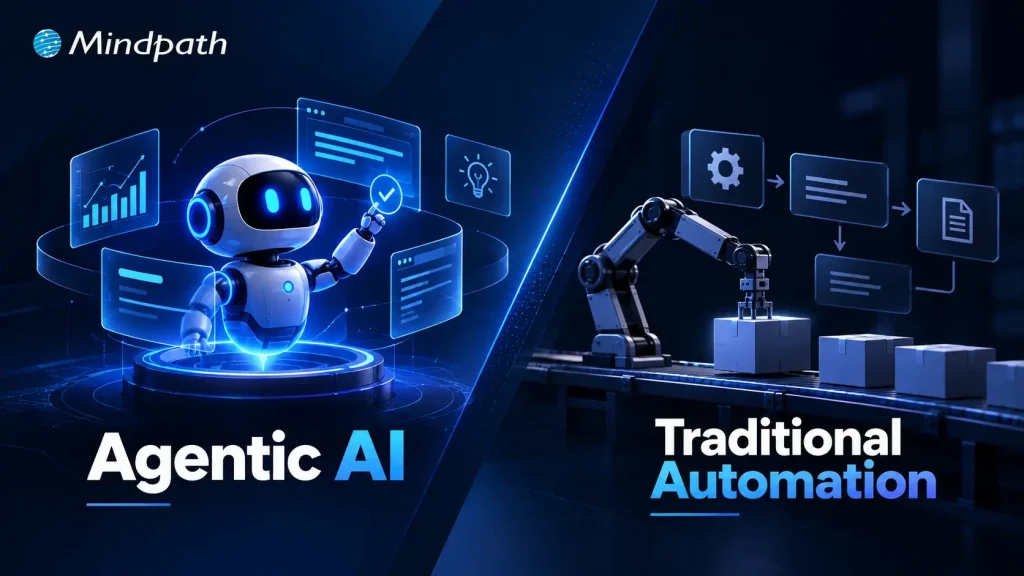
A workflow can run perfectly for years until one unexpected exception exposes its limits. That is where the difference between agentic AI vs traditional automation becomes important. Automation follows defined rules and paths, while agentic AI can interpret context, make decisions, and adapt its actions as conditions change.
Key Takeaways
- 01
Traditional automation works best for predictable, repetitive, and rule-based business processes. - 02
Agentic AI handles workflows requiring reasoning, adaptability, and context-based decisions. - 03
AI agents can manage unstructured information, exceptions, multiple systems, and complex objectives. - 04
Businesses should choose technology based on workflow requirements rather than replacing automation unnecessarily. - 05
A hybrid approach can combine automation for routine tasks with AI agents for complex decisions.
The real question is not which technology is better, but which one fits the work. Businesses need to understand where predictable automation delivers greater efficiency and where autonomous decision-making creates measurable value. In this blog, we compare both approaches to help you choose the right one for your business workflows.
Need the right AI approach for your workflow?
Explore Mindpath’s AI development services to design, build, and deploy intelligent solutions aligned with your business goals.
What is Agentic AI?
Agentic AI refers to AI systems that can pursue a defined goal by interpreting information, making decisions, using tools, and adjusting their actions based on what happens next. Instead of relying entirely on a fixed sequence, an AI agent can determine the next appropriate step within a given set of boundaries.
In a business environment, an agent might review customer information, search internal knowledge, interact with business applications, analyze the results, and decide whether to complete a task or escalate it to a person.
Key advantages of agentic AI include:
1. Adaptive Execution
Adjusts actions when conditions or requirements change.
2. Contextual Decisions
Uses available information to determine the next step.
3. Exception Handling
Can assess situations that fall outside standard workflows.
4. Multi-step Execution
Coordinates several actions toward a single business goal.
5. Tool Interaction
Can work with APIs, databases, software platforms, and other business systems.
What is Traditional Automation?
Traditional automation uses predefined rules, triggers, and workflows to complete specific tasks without requiring manual intervention at every stage. The process is designed in advance, and the system executes those instructions consistently whenever the required conditions are met.
For example, an automated workflow can receive an invoice, check predefined criteria, send it to the appropriate approver, update a database, and trigger a notification. The workflow performs each action according to the logic established by the business.
Key advantages of traditional automation include:
1. Predictable Execution
Follows established workflows consistently.
2. Fast Processing
Handles repetitive tasks efficiently at scale.
3. Cost Efficiency
Reduces manual effort for routine processes.
4. Process Consistency
Applies the same rules across every transaction.
5. Easy Control
Gives businesses clear visibility into predefined actions and outcomes.
Agentic AI vs Traditional Automation: The Core Difference
The agentic AI vs traditional automation comparison becomes clearer when you look at how each system handles work after the initial instruction. Traditional automation is designed around known rules and predictable paths. Agentic AI is designed to work toward an outcome, making context-based decisions when the path changes.
The biggest difference is how much flexibility the system has during execution. An automated workflow generally does what it was programmed to do. An AI agent can assess the current situation, choose an action, observe the result, and determine what should happen next.
| Capability | Traditional Automation | Agentic AI |
|---|---|---|
| Primary approach | Executes predefined instructions | Works toward a defined goal |
| Decision logic | If/then rules and fixed conditions | Context-based reasoning and planning |
| Workflow path | Predetermined sequence | Can change based on circumstances |
| Input handling | Best with structured inputs | Can interpret structured and unstructured inputs |
| Exception handling | Follows predefined exception rules | Can assess unfamiliar situations |
| Adaptability | Changes require workflow updates | Can adjust actions within defined boundaries |
| Task planning | Business defines the sequence | Agent can determine the next step |
| Tool usage | Specific integrations trigger specific actions | Can select and use available tools based on the task |
| Retries | Usually follow programmed retry logic | Can reassess why an action failed and try another path |
| Escalation | Triggered by predefined conditions | Can escalate when it cannot confidently proceed |
| Human involvement | Often required for predefined exceptions | Can operate independently while keeping humans in the loop |
| Best suited for | Repetitive, predictable processes | Variable, multi-step, decision-heavy work |
When Traditional Automation Is Still the Better Choice?
Agentic AI can handle complex workflows, but that does not mean every business process needs an AI agent. When to use agentic AI instead of traditional automation depends largely on how predictable the work is. If a process follows clear rules, receives structured inputs, and produces consistent outcomes; traditional automation is often simpler, faster, and easier to control.
Traditional automation is usually the better fit when:
1. Rules Are Clearly Defined
The process can be mapped using fixed conditions and actions.
2. Tasks Are Repetitive
High-volume activities follow the same sequence every time.
3. Inputs Are Structured
Data comes in predictable formats that require little interpretation.
4. Consistency Is Critical
Every transaction needs to follow the same approved process.
5. Exceptions Are Limited
Unusual cases can be handled through predefined rules or human escalation.
When Agentic AI Creates More Value?
Agentic AI becomes valuable when a workflow cannot be mapped into a fixed sequence of rules. Businesses may know the outcome they want, but the steps required to reach it can change with each situation. That is where AI agents can interpret context, evaluate options, and determine what action should come next.
Businesses can build AI agents for business when their workflows involve:
1. Unstructured Information
Emails, documents, conversations, and other inputs need interpretation.
2. Dynamic Decisions
The next action depends on what the system discovers during execution.
3. Multiple Systems
A task requires information or actions across CRM, databases, APIs, or business applications.
4. Complex Objectives
The desired outcome is clear, but the exact execution path is not.
5. Frequent Exceptions
Unusual cases require contextual decisions rather than another fixed rule.
Choosing the Right Approach for Your Workflow
The right choice between agentic AI vs traditional automation depends on the kind of work you want to automate. If the steps are clear and repeatable, traditional automation is usually enough. If the workflow changes often and needs decisions, agentic AI can be a better fit. Some workflows can also use both.
| If your workflow is | Best approach | Why |
|---|---|---|
| Repetitive and predictable | Traditional automation | Follows fixed rules quickly and consistently |
| Based on clear business rules | Traditional automation | Easy to control, monitor, and audit |
| High-volume and structured | Traditional automation | Handles routine work efficiently |
| Unstructured or variable | Agentic AI | Can interpret changing information |
| Dependent on decisions | Agentic AI | Can assess context before acting |
| Spread across multiple systems | Agentic AI | Can coordinate different tools and actions |
| Partly predictable, partly complex | Hybrid approach | Uses automation for routine steps and AI for decisions |
For agentic AI vs automation for business processes, the goal should be to choose the simplest approach that can reliably achieve the desired outcome. You do not need an AI agent where a straightforward automated workflow already works well.
What to Consider Before Deploying AI Agents?
Understanding how agentic AI works is an important first step before introducing agents into a business workflow. The system needs clear goals, access to relevant information, defined boundaries, and a reliable way to handle situations it cannot resolve.
Before deployment, businesses should consider:
1. Business Goal
Define the specific outcome the agent needs to deliver.
2. Data Quality
Make sure the agent can access accurate and relevant information.
3. Permissions
Control which systems, data, and actions the agent can access.
4. Human Oversight
Set clear points for review and escalation.
5. Integration
Connect the agent with the tools already used by the business.
6. Performance
Measure accuracy, task completion, failures, and business impact.
An experienced AI agent development company can help assess these requirements and design an architecture around the workflow. Businesses that plan to hire AI agent developers should also look for experience in integrations, security, agent evaluation, and production deployment.
Which Approach Is Right for Your Business?
The choice between agentic AI vs traditional automation depends on the workflow, not the technology trend. Traditional automation remains ideal for predictable tasks, while agentic AI fits work requiring reasoning, adaptability, and dynamic decisions. The strongest strategy often combines both to create efficient, practical, and scalable business workflows.
Mindpath helps businesses identify where AI can create meaningful operational value and build solutions around those opportunities. Our agentic AI development services cover strategy, agent development, integrations, and deployment, helping businesses introduce AI agents with the right architecture, controls, and business objectives.
At some point, every growing AI initiative runs into the same question: should we keep using an API or build something of our own? The LLM vs API decision is rarely as simple as comparing model capabilities. Cost, data control, latency, customization, and the demands of the application can all change the answer.
Key Takeaways
- 01
Choose between an LLM and API based on business requirements, cost, control, and performance. - 02
Custom LLMs make sense when standard APIs cannot meet critical business requirements. - 03
Self-hosted models offer greater control over data, infrastructure, latency, and model behavior. - 04
Custom LLM development requires investment in data, compute, engineering, deployment, and ongoing maintenance. - 05
Evaluate total ownership costs before replacing an API with a custom or self-hosted LLM.
Building a custom LLM can sound like the logical next step when an API starts falling short, but it can also introduce significant engineering and operational overhead. In many cases, RAG, fine-tuning, or a self-hosted model can address the real limitation without training a model from scratch. In this blog, we’ll look at when each approach makes sense, what it really costs, and how to choose based on business value.
Mindpath’s custom LLM development services help businesses design, customize, deploy, and optimize models around their specific data, workflows, performance goals, and infrastructure requirements.
What is a Custom LLM?
A custom LLM is a language model adapted or developed for a specific business requirement instead of relying entirely on a general-purpose model. Customization can involve fine-tuning an existing open-weight model, training it on specialized datasets, or building a model architecture for highly specific workloads. The goal is to make the model more effective for particular tasks, terminology, workflows, or operational constraints.
The key point is that custom LLM development does not always mean training a foundation model from scratch. A company may customize an existing model when that delivers the required performance with less investment.
Common benefits of custom LLM and considerations include:
1. Domain specialization
Handles industry-specific language, terminology, and workflows more consistently.
2. Greater control
Organizations can have greater control over model behavior, deployment, and infrastructure.
3. Data governance
Self-hosted deployments can provide stronger control over sensitive data and processing environments.
4. Predictable performance
A specialized model can be optimized for defined business tasks and response patterns.
5. Infrastructure demands
Self-hosting requires suitable compute, deployment architecture, monitoring, and MLOps capabilities.
6. Ongoing maintenance
Model evaluation, updates, security, and performance monitoring remain the organization’s responsibility.
What is an Off-the-Shelf API?
An off-the-shelf API provides businesses with access to a pre-trained LLM through a provider-managed interface. Instead of developing, training, and operating the underlying model, the application sends prompts or structured requests to the provider and receives generated responses. This makes it possible to add language capabilities to an application without taking responsibility for the model’s underlying infrastructure, training pipeline, or serving environment.
Key benefits and considerations include:
1. Faster deployment
Teams can integrate established models without building model infrastructure.
2. Lower initial investment
Training and infrastructure requirements are largely handled by the provider.
3. Managed scalability
Providers manage the computing resources needed to serve changing demand.
4. Model access
Businesses can use increasingly capable models without developing them internally.
5. Usage-based costs
Expenses generally increase with model usage, context size, and request volume.
6. Limited control
Businesses have less control over the underlying model, infrastructure, updates, and provider policies.
Mindpath’s custom LLM development services help businesses design, customize, deploy, and optimize models around their specific data, workflows, performance goals, and infrastructure requirements.
Explore Custom AI Development →
LLM vs API: How Do the Tradeoffs Compare?
The custom LLM vs API decision becomes clearer when you look beyond model quality. An API gives a team quick access to a capable model without requiring it to manage GPUs, deployment, scaling, or model operations. A self-hosted approach offers greater control, but that control comes with infrastructure, engineering, security, and maintenance responsibilities.
The right choice therefore depends on what the business is trying to optimize. A hosted API may be the practical option when speed and simplicity matter, while a self-hosted model can become attractive when data control, predictable workloads, latency, or specialized performance are more important.
| Decision Factor | Off-the-Shelf LLM API | Self-Hosted / Custom LLM |
|---|---|---|
| Time to Market | Fast integration using existing models | Longer setup, testing, and deployment |
| Upfront Investment | Lower initial investment | Higher engineering and infrastructure costs |
| Model Control | Limited control over underlying model | Greater control over model and deployment |
| Customization | Prompting, RAG, tools, and provider options | Fine-tuning, model selection, and deeper customization |
| Data Control | Governed by provider architecture and policies | Greater control over data location and processing |
| Infrastructure | Provider manages compute and serving | Organization manages compute and serving |
| Scalability | Provider handles infrastructure scaling | Team must plan and manage capacity |
| Latency | Depends on provider, network, and model | Greater ability to optimize serving and placement |
| Cost at Scale | Usage costs can rise with volume | Higher fixed costs, with potential advantages at predictable scale |
| Maintenance | Lower operational responsibility | Requires ongoing MLOps, monitoring, updates, and security |
| Vendor Dependency | Higher dependency on provider pricing and availability | Greater architectural independence |
| Best Fit | Fast-moving, general-purpose AI applications | Specialized, sensitive, high-volume, or highly controlled workloads |
For organizations comparing self-hosted LLM vs API options, the biggest consideration is often not which model produces better response in isolation. It is which architecture delivers the required performance while keeping the total cost and operational complexity under control.
When Should a Company Build a Custom LLM?
The right time to consider custom LLM development is when an API creates a measurable limitation that simpler approaches cannot solve. The local LLM vs API decision should be driven by business requirements, data control, performance, and long-term economics.
1. Specialized Domain Performance
General models consistently struggle with highly specialized terminology, workflows, or task-specific requirements.
2. Strict Data Control
Sensitive information must remain within a controlled infrastructure rather than being processed through an external provider.
3. Predictable High Volume
Large, consistent workloads make API usage costs difficult to justify over the long term.
4. Latency Requirements
Applications require faster and more predictable inference than a third-party API can reliably provide.
5. Deep Customization
Prompting, RAG, or standard fine-tuning cannot deliver the required level of model behavior or task performance.
6. Infrastructure Ownership
The business needs greater control over deployment, model versions, inference infrastructure, and operational policies.
7. Provider Dependency
Long-term reliance on external pricing, model changes, rate limits, or availability creates unacceptable business risk.
8. Strategic Model Ownership
AI is becoming a core product capability where controlling the underlying model can create meaningful technical or commercial advantage.
How Much Does Custom LLM Development Cost?
The cost of custom LLM development depends heavily on the model approach, data requirements, infrastructure, and level of customization involved. In LLM vs API comparison, businesses should evaluate total cost of ownership rather than comparing API fees with development costs alone.
Key cost factors include:
1. Model Development
Fine-tuning or deeper model customization requires specialized ML engineering and evaluation.
2. Data Preparation
Cleaning, structuring, labeling, and validating domain-specific datasets can become a significant part of the investment.
3. Compute Infrastructure
Training and inference require GPUs, storage, networking, and supporting infrastructure.
4. Engineering Expertise
ML engineers, data engineers, MLOps specialists, and application developers may all contribute to the project.
5. Deployment Model
Self-hosted environments require ongoing infrastructure, monitoring, security, and optimization.
| Development Approach | Typical Cost Range | What Drives the Cost | Best Fit |
|---|---|---|---|
| API Integration | $15K–$80K | Integration, prompts, testing, application development | Fast AI launches and general-purpose applications |
| RAG Development | $50K–$150K | Data pipelines, retrieval, evaluation, security | Business knowledge and document-heavy applications |
| Fine-Tuned LLM | $100K–$300K+ | Data preparation, training, evaluation, engineering | Specialized tasks and domain-specific behavior |
| Self-Hosted Open Model | $150K–$750K+ | Model customization, GPUs, deployment, MLOps | High-volume or data-sensitive workloads |
| Custom-Trained LLM | $500K–$1.5M+ | Training data, compute, ML engineering, infrastructure | Strategic use cases requiring deep model ownership |
When Should You Hire Custom LLM Developers?
Building a custom LLM requires expertise across model engineering, data pipelines, infrastructure, evaluation, and deployment. Businesses should consider it when the technical complexity and operational responsibility go beyond what their existing AI team can efficiently manage.
1. Specialized Model Expertise
Bring in experienced developers when model selection, fine-tuning, evaluation, or optimization requires deeper ML expertise.
2. Complex Data Pipelines
External expertise can help when large, fragmented, or sensitive datasets need to be prepared for training or fine-tuning.
3. Production Deployment
Custom models need reliable serving, monitoring, scaling, security, and MLOps practices beyond initial development.
4. Performance Optimization
Experienced teams can optimize inference speed, memory usage, model quality, and infrastructure costs for production workloads.
5. Limited Internal Expertise
Hiring specialists can accelerate development when building an in-house AI team would take significantly longer or require substantial recruitment costs.
Is a Custom LLM the Right Investment for Your Business?
The LLM vs API decision should come down to business value, not the appeal of owning a model. APIs, RAG, fine-tuning, self-hosting, and custom models each have a place. The right approach is the one that solves your performance, cost, security, and scalability requirements without adding unnecessary complexity.
At Mindpath, we provide custom LLM development services covering model customization, data engineering, deployment, evaluation, and optimization. As a custom LLM development company, we help businesses build practical AI systems aligned with their technical requirements, workflows, and long-term goals.
A machine learning model can achieve strong results in development and still struggle once exposed to live data. What is MLOps becomes an important question when deployment brings data drift, versioning gaps, monitoring challenges, security concerns, and inconsistent model performance. MLOps in AI addresses these operational complexities systematically.
Key Takeaways
- 01
MLOps connects machine learning development with reliable production operations and continuous model management. - 02
Production AI needs monitoring, versioning, validation, retraining, security, and scalable deployment workflows. - 03
The MLOps lifecycle helps teams continuously develop, deploy, monitor, and improve machine learning models. - 04
Automation and version control improve reproducibility while reducing manual effort across machine learning workflows. - 05
Strong MLOps practices help organizations build reliable, observable, and maintainable AI systems in production.
Production AI requires continuous oversight across data, models, infrastructure, and deployment pipelines. A reliable MLOps approach connects development with operational processes, helping teams validate, deploy, monitor, and improve models throughout their lifecycle. It treats machine learning as a continuously managed system rather than a one-time deployment. In this blog, we examine how MLOps supports reliable production AI.
Ready to build reliable AI systems for production?
Mindpath provides MLOps consulting and development support to help businesses build scalable, monitored, and production-ready machine learning workflows.
What is MLOps in AI?
MLOps is a set of practices that applies software engineering and operational discipline to machine learning workflows. It connects data preparation, model development, testing, deployment, monitoring, and retraining into a continuous process. This helps teams manage models consistently as data, infrastructure, and production requirements change over time.
In MLOps in AI, the focus extends beyond getting a model into production. Teams need version control for datasets and models, automated validation, reproducible training pipelines, deployment workflows, observability, and governance. These capabilities create a controlled MLOps lifecycle, allowing engineering teams to identify performance issues, respond to data changes, and update models without disrupting production systems.
Why Does MLOps Matter for Production AI?
A model’s performance in a controlled development environment does not guarantee reliable behavior in production. Live data changes, infrastructure scales, and business requirements evolve. MLOps development services help teams build the operational foundation required to manage these changes while keeping machine learning workflows consistent and measurable.
Key areas where MLOps supports production AI include:
1. Reliable Deployment
Automated pipelines move validated models into production with consistent release processes.
2. Continuous Monitoring
Teams can track model performance, latency, errors, data drift, and infrastructure health after deployment. AI model monitoring helps maintain visibility into model behavior after deployment.
3. Data Quality Control
Validation workflows identify unexpected changes in incoming data before they affect predictions. Strong data engineering and AI practices can support reliable data workflows throughout the model lifecycle.
4. Model Versioning
Teams can track models, datasets, configurations, and experiments to maintain reproducibility.
5. Automated Retraining
Defined triggers can initiate retraining when performance or data conditions require an updated model. AI model fine-tuning can also support model improvement when updated requirements or data conditions require changes.
6. Scalable Operations
Standardized workflows make it easier to manage multiple models, environments, and production workloads.
7. Security and Governance
Access controls, audit trails, validation gates, and model lineage support responsible AI operations.
These capabilities explain how MLOps helps deploy AI models in production while creating a repeatable foundation for continuous model management.
Understanding the MLOps Lifecycle
The MLOps lifecycle provides a structured path for moving machine learning models from development into reliable production environments. Understanding what is MLOps becomes clearer when the lifecycle is viewed as a continuous loop, where models are developed, deployed, monitored, and improved based on real-world performance.
1. Data Preparation
Teams collect, clean, validate, and version datasets before using them for model training.
2. Model Development
Engineers train models, run experiments, evaluate results, and track configurations for reproducibility. AI development practices help teams structure model development around specific business and technical requirements.
3. Testing and Validation
Models undergo technical and business validation before they are approved for production deployment.
4. Deployment
Validated models are packaged and released through automated deployment pipelines across the required environments.
5. Monitoring
Production systems track accuracy, latency, errors, data drift, resource usage, and other operational signals.
6. Retraining
New data and monitoring results help determine when a model requires retraining or replacement.
7. Governance
Teams maintain model lineage, access controls, documentation, approvals, and auditability throughout the lifecycle.
MLOps vs DevOps: What Changes in Machine Learning?
MLOps builds on many DevOps principles, but machine learning introduces additional dependencies that traditional software delivery does not have. Alongside application code and infrastructure, teams must manage training data, model artifacts, experiments, and changing model behavior. AI in DevOps can further extend these workflows by applying AI capabilities to development and operational processes.
1. Development Assets
DevOps primarily manages application code, while MLOps manages code, datasets, models, features, and configurations.
2. Testing
Software testing focuses on application behavior, while MLOps also validates data quality, model performance, and training outcomes.
3. Deployment
DevOps automates application releases, while MLOps supports repeatable model packaging, validation, deployment, and rollback.
4. Monitoring
Traditional monitoring tracks applications and infrastructure; MLOps also monitors prediction quality, data drift, model behavior, and inference latency.
5. Version Control
MLOps requires traceability across datasets, model versions, experiments, and code to maintain reproducibility.
6. Continuous Improvement
MLOps incorporates retraining and model evaluation because production data and model performance can change over time.
This is why DevOps best practices can provide a foundation, while MLOps implementation services typically extend existing DevOps capabilities rather than treating machine learning deployment as a standard software release process.
MLOps Best Practices for Reliable AI Systems
Successful production AI depends on how consistently teams apply MLOps practices across data, models, infrastructure, and monitoring. The following MLOps best practices can help engineering teams build machine learning systems that remain reproducible, observable, and easier to maintain.
1. Version critical assets
Track datasets, source code, models, configurations, and experiment results to maintain reproducibility.
2. Automate ML pipelines
Automate data validation, training, testing, deployment, and retraining wherever practical.
3. Validate before deployment
Establish automated quality and performance checks before promoting a model into production.
4. Monitor continuously
Track model quality, data drift, latency, failures, resource usage, and other production signals.
5. Define retraining triggers
Use measurable changes in data or model performance to determine when retraining is required.
6. Maintain model lineage
Record how data, code, experiments, and model versions connect across the MLOps lifecycle.
7. Build security into workflows
Apply appropriate access controls, audit trails, environment separation, and governance throughout the pipeline.
8. Design for rollback
Maintain previous model versions so teams can quickly restore a stable version when production issues occur.
How MLOps Helps Deploy AI Models in Production?
A production deployment requires more than moving a trained model onto a server. Teams need repeatable release processes, validation, monitoring, and recovery mechanisms to keep AI systems dependable after launch. MLOps helps deploy AI models in production by connecting these operational requirements into a controlled workflow.
1. Automated Model Packaging
Standardized pipelines package models with their dependencies and required configurations for consistent deployment.
2. Pre-Deployment Validation
Automated checks evaluate model quality, data compatibility, and operational requirements before release.
3. Controlled Releases
Teams can use staged deployments, approval gates, and rollback mechanisms to reduce risks during model updates.
4. Production Monitoring
Monitoring tracks inference latency, errors, resource consumption, data drift, and model performance.
5. Scalable Infrastructure
Deployment workflows can support changing inference workloads while maintaining predictable resource utilization.
6. Feedback Loops
Production signals can flow back into training pipelines to support model improvement and retraining. AI data analytics can help teams turn production data into actionable insights for ongoing model and business improvements.
7. Traceable Releases
Versioned models, datasets, and configurations make it easier to identify what changed when production behavior shifts.
Is Your AI Ready for Production with MLOps?
Understanding what is MLOps helps teams see why production AI needs continuous monitoring, automated deployment, version control, retraining, and governance. A structured MLOps approach connects these processes, helping organizations maintain reliable, scalable, and observable machine learning systems as production requirements evolve.
Mindpath provides MLOps consulting services and MLOps development services to help businesses design, implement, and manage production-ready machine learning workflows. Build reliable AI operations with the right architecture, automation, monitoring, and lifecycle management.
Your cloud bill rarely explodes overnight. More often, it creeps up through idle environments, oversized workloads, growing data stores, and services that quietly consume resources long after they are needed. For startups, startup cloud costs can become difficult to predict without disciplined FinOps and effective cloud budget management built into everyday engineering decisions.
Key Takeaways
- 01
FinOps gives startups better visibility and accountability over growing cloud infrastructure spending. - 02
Regular cost reviews help identify idle resources, overprovisioning, and inefficient cloud usage. - 03
Cloud optimization should support performance, reliability, and product growth alongside cost efficiency. - 04
Unit cost metrics connect infrastructure spending with customers, transactions, workloads, and business growth. - 05
Startups can begin FinOps with simple budgets, ownership, alerts, and regular usage reviews.
The goal is not to make every workload cheaper; it is to make every infrastructure decision more intentional. Teams need to know what they are spending, why they are spending it, and whether that spend supports product growth. In this blog, we explore how startups can build practical FinOps practices to control cloud costs without compromising performance, reliability, or speed.
Looking to build scalable infrastructure with better cost visibility? Mindpath helps startups plan and optimize AI, data, and cloud workloads for sustainable growth.
What is FinOps and Why Does It Matter for Startups?
FinOps is a way of managing cloud spending by bringing engineering, finance, and product decisions closer together. Instead of treating the cloud bill as a finance issue, teams use usage and cost data to understand how infrastructure decisions affect the business.
For a startup, this matters because cloud usage can change quickly. A new feature may require additional compute, a growing user base can increase database and storage costs, or a development environment may continue running even when nobody is using it. FinOps helps teams identify these patterns before they become persistent expenses.
The goal is not simply to spend less. Cutting resources too aggressively can affect application performance, reliability, or developer productivity. Effective FinOps focuses on getting the right value from cloud infrastructure by connecting spending with actual workload requirements.
A practical FinOps approach gives teams three things:
1. Visibility
Know where cloud spending is going.
2. Accountability
Connect costs with teams, workloads, or environments.
3. Optimization
Continuously identify opportunities to improve efficiency.
This makes cloud spending part of regular technical decision-making rather than something teams investigate only after receiving an unexpected bill.
Where Startup Cloud Costs Actually Come From?
Cloud spending rarely comes from one obvious source. It usually builds across multiple services as the application grows, new environments are added, and infrastructure becomes harder to track. A startup may have reasonable costs for each workload individually, yet still face a surprisingly large monthly bill when those workloads are combined.
1. Compute Resources
Virtual machines, containers, serverless workloads, and autoscaling resources can consume significant capacity as traffic changes.
2. Storage
Databases, object storage, backups, snapshots, and retained logs continue growing as applications generate more data.
3. Data Transfer
Moving data between services, regions, or external systems can introduce costs that are easy to overlook during architecture planning.
4. Idle Resources
Development, testing, staging, and temporary environments can remain active even when they are not being used.
5. Overprovisioning
Teams may allocate more CPU, memory, or storage than a workload consistently requires to avoid performance issues.
6. Pricing Choices
Relying entirely on flexible pricing can become expensive when usage becomes stable and predictable.
This is where FinOps becomes more than a cost-cutting exercise. By connecting cloud usage with ownership, workload requirements, and business priorities, FinOps helps teams understand which costs are necessary, which are inefficient, and where cloud optimization can make a measurable difference.
How to Build a Practical FinOps Workflow?
A useful FinOps workflow does not require a dedicated finance team or a complicated governance structure. Startups can begin with a simple process that gives engineers and product teams a clearer view of how infrastructure decisions affect startup cloud costs. The important part is making cost review a regular engineering practice.
A practical workflow can include:
1. Create Cost Visibility
Track spending across cloud services, applications, environments, and workloads to identify the areas driving the bill.
2. Assign Ownership
Use tags, projects, accounts, or cost centers to connect infrastructure spending with the team or workload responsible for it.
3. Set Budgets and Alerts
Establish spending thresholds and configure alerts for unusual usage or unexpected increases before they become significant expenses.
4. Review Usage Regularly
Compare actual consumption with expected workloads. Look for idle resources, unusual usage patterns, and capacity that consistently exceeds requirements.
5. Forecast Upcoming Spend
Factor planned releases, user growth, new workloads, and infrastructure changes into future cloud cost expectations.
6. Optimize Continuously
Right size resources, automate unnecessary capacity, review storage, and reconsider pricing options as usage patterns become clearer.
The process should evolve with the startup. Early on, a monthly review may be enough. As workloads and teams grow, more frequent monitoring and automated controls can help maintain visibility without adding unnecessary operational overhead.
7 Practical Ways Startups Can Optimize Cloud Costs
FinOps helps startups turn cloud cost control into a continuous practice. These optimization actions can be built into regular engineering and infrastructure reviews without adding unnecessary complexity.
1. Rightsize Resources
Match compute, memory, and storage capacity with actual usage.
2. Automate Idle Resources
Schedule non-production environments to shut down when they are not needed.
3. Optimize Storage
Remove unnecessary data and apply suitable retention and storage policies.
4. Review Pricing Models
Use commitments for predictable workloads and flexible pricing where usage remains uncertain.
5. Apply Autoscaling
Adjust infrastructure capacity according to actual workload demand.
6. Add FinOps Guardrails
Use budgets, alerts, tagging, and policies to keep spending visible and accountable.
7. Review Architecture Regularly
Reassess infrastructure decisions as workloads, traffic, and product requirements change.
The FinOps principle is simple: optimize resources based on usage, business value, and workload requirements, rather than reducing infrastructure costs blindly.
How FinOps Helps Startups Balance Cost with Growth
FinOps helps startups control cloud spending without putting necessary growth infrastructure at risk. The focus is on making spending decisions based on usage, business priorities, and measurable value rather than reducing costs across the board.
1. Track Cost Against Growth
Compare cloud spending with users, transactions, revenue, or workload growth.
2. Protect Critical Workloads
Avoid reducing resources that directly support performance, reliability, or customer experience.
3. Plan for Demand
Align infrastructure capacity with expected product launches, traffic increases, and seasonal workloads.
4. Measure Unit Costs
Monitor metrics such as cloud cost per customer or transaction to understand efficiency.
5. Separate Essential Spend
Distinguish production and revenue-supporting workloads from temporary or non-critical resources.
6. Review Scaling Decisions
Use actual usage data to determine when additional capacity is necessary or can be reduced.
7. Include FinOps in Planning
Consider expected infrastructure costs when teams plan new features, products, and technical initiatives.
8. Optimize Continuously
Revisit cloud spending as workloads, usage patterns, and business priorities change.
FinOps Metrics and Tools Startups Actually Need
Startups do not need a complex FinOps setup to gain control over cloud spending. The priority is to establish enough visibility to connect infrastructure usage with costs, ownership, and business activity.
| FinOps Area | What to Track | Why It Matters |
|---|---|---|
| Cost visibility | Spend by service and environment | Identifies major cost drivers |
| Budget control | Actual spend vs. budget | Highlights unexpected increases |
| Forecasting | Expected monthly spend | Supports infrastructure planning |
| Resource efficiency | Usage vs. allocated capacity | Helps identify waste |
| Unit economics | Cost per customer or transaction | Connects cloud spend with growth |
| Accountability | Spend by team or workload | Establishes clear ownership |
| Alerts | Unusual usage or spending | Enables faster action |
Common FinOps Mistakes Startups Should Avoid
FinOps for startups works best when cost management becomes part of everyday cloud operations. However, teams can easily create gaps when cloud spending grows faster than their processes.
1. No Clear Cost Ownership
Without assigning spending to teams, workloads, or environments, unexpected costs can be difficult to investigate.
2. Ignoring Idle Resources
Unused development, testing, and staging resources can continue generating recurring charges.
3. Skipping Usage Reviews
Allocated capacity can remain unchanged even when actual workload requirements fall.
4. Treating FinOps as Finance-Only
Cloud costs are strongly influenced by engineering and architecture decisions, so technical teams need visibility into spending.
5. Optimizing Without Context
Reducing resources without considering performance, reliability, or product requirements can create operational issues.
6. Committing Too Early
Long-term pricing commitments can become restrictive when a startup’s workload is still changing rapidly.
7. Reacting to Bills
Waiting for a high monthly bill before investigating costs makes optimization more difficult.
8. Overcomplicating the Process
Startups can begin with basic visibility, ownership, budgets, and regular reviews before introducing advanced FinOps processes.
How Can FinOps Make Startup Cloud Costs More Predictable?
FinOps gives startups a practical way to understand, manage, and optimize cloud spending as infrastructure grows. With clear ownership, usage visibility, budgets, and continuous optimization, teams can control waste while keeping resources aligned with product performance, reliability, and growth.
Mindpath AI development services help startups build scalable AI and cloud infrastructure with cost efficiency in mind. From architecture planning and data engineering to AI workloads and cloud optimization, Mindpath helps teams create infrastructure that supports sustainable growth without unnecessary complexity.
Modern IT teams don’t struggle to collect operational data. They struggle to make sense of it. A single incident can trigger hundreds of alerts across monitoring tools, leaving engineers to sort through noise before they can even start fixing the problem.
Key Takeaways
- 01
DevOps improves software delivery through collaboration, automation, CI/CD, and continuous monitoring. - 02
AIOps applies AI to analyze operational data, detect patterns, and support faster incident response. - 03
AIOps and DevOps address different needs but can work together across modern IT environments. - 04
Successful AIOps adoption depends on reliable data, strong observability, integration, governance, and human oversight. - 05
Organizations can introduce AIOps gradually by applying AI to specific operational use cases.
DevOps gave teams the pipelines, automation, and collaboration to release software quickly and reliably. But faster delivery also means more services, more deployments, and more data to interpret. That’s why AIOps vs DevOps has become an important question for IT teams. DevOps speeds up how software is built and shipped, while AIOps uses AI to cut through alert noise, find root causes, and respond faster. In this blog, we’ll explore how the two differ and how an AI DevOps approach can bring them together.
Ready to build more intelligent IT operations?
Mindpath helps businesses apply AI to operational workflows, data, monitoring, and automation.
What Is DevOps?
DevOps is a software development and operations approach that brings teams, processes, and technologies together across the application lifecycle. It focuses on improving collaboration, automating repetitive tasks, and creating consistent workflows for building, testing, deploying, and maintaining applications.
By integrating development and operations practices, DevOps helps teams release software more frequently while maintaining reliability and operational control. It also supports continuous feedback, infrastructure automation, and faster responses to issues across development and production environments.
Key features and benefits of DevOps:
1. Continuous Integration and Delivery
2. Automated Testing and Deployments
3. Infrastructure and Configuration Automation
4. Faster Software Release Cycles
5. Improved Collaboration Across Teams
6. Continuous Monitoring and Feedback
What Is AIOps?
AIOps applies artificial intelligence and machine learning to IT operations, helping teams analyze the large volumes of data generated by applications, infrastructure, networks, and monitoring systems. It combines operational data with intelligent analysis to identify patterns and surface relevant insights.
AIOps can correlate events across multiple systems, detect unusual behavior, support root-cause analysis, and automate selected operational responses. This helps IT teams handle complex environments with greater visibility while reducing the manual effort involved in monitoring and incident investigation.
Key features and benefits of AIOps:
1. Intelligent Event Correlation
2. Anomaly and Pattern Detection
3. Automated Alert Analysis
4. Faster Root-Cause Investigation
5. Predictive Operational Insights
6. Automated Incident Response
7. Reduced Alert and Operational Noise
AIOps vs DevOps: What Is the Difference?
AIOps and DevOps both aim to improve IT operations, but they address different aspects of the technology lifecycle. DevOps focuses on collaboration, automation, and software delivery, while AIOps uses AI-driven analysis to make IT operations more intelligent and responsive.
| Area | DevOps | AIOps |
|---|---|---|
| What it is | A culture and set of practices that unites development and operations | An approach that applies AI/ML to IT operations data |
| Core objective | Ship software faster and more reliably | Detect, diagnose, and resolve operational issues faster |
| Main question it answers | “How do we build and release this efficiently?” | “What is going wrong, why, and what should we do?” |
| Where it operates | Build → test → deploy → operate | Monitor → detect → analyze → respond |
| Type of automation | Rule-based and scripted (pipelines, IaC, deployments) | Adaptive and data-driven (correlation, anomaly detection, suggested or automated remediation) |
| Data used | Code, build logs, pipeline results, deployment history | Logs, metrics, traces, events, alerts, and tickets at large scale |
| How decisions are made | Predefined workflows and thresholds | Learned patterns and statistical models |
| Typical use cases | CI/CD, infrastructure automation, release management | Alert noise reduction, anomaly detection, root-cause analysis, predictive alerts |
| Example tools | Jenkins, GitHub Actions, GitLab CI, Terraform, Ansible, Kubernetes | Dynatrace, Datadog, Splunk, PagerDuty, BigPanda |
| Key metrics | Deployment frequency, lead time, change failure rate | MTTD, MTTR, alert volume, false-positive rate |
| Primary users | Developers, DevOps and platform engineers | SREs, IT operations, NOC and incident response teams |
| AI dependency | Not required | Central to the approach |
| Main limitation | Struggles to interpret huge, noisy operational data manually | Depends on data quality and needs human validation |
What Should Organizations Consider Before Adopting AIOps?
AIOps works best when organizations have the right operational foundation in place. AI-driven analysis depends on the quality of the data, systems, and workflows available to it. Before adoption, teams should assess how their existing IT environment can support intelligent analysis and automation.
1. Data Quality
AI is only as good as its input. Are logs, metrics, and events consistent and complete?
2. Observability
Observability provides context for accurate analysis. Do we have visibility across apps, infrastructure, and services?
3. Tool Integration
Integration enables cross-system analysis. Can monitoring, cloud, and ITSM tools share data?
4. Security and Governance
Security and governance help prevent unsafe automated actions. Do AI actions follow our access controls and policies?
5. Human Oversight
Human oversight keeps risk under control. Which actions are automated and which need approval?
6. Team Readiness
Team readiness drives trust and adoption. Do engineers know how to validate AI-generated insights?
AIOps adoption should therefore align with the organization’s existing DevOps practices and operational maturity. Starting with well-defined use cases, reliable data, and controlled automation can help teams introduce AI into IT operations without disrupting established processes.
How DevOps and AIOps Work Together?
The need for AIOps generally becomes clearer as IT environments grow in scale and complexity. Teams managing distributed applications, cloud infrastructure, multiple monitoring systems, and high volumes of operational data may need capabilities that extend beyond conventional DevOps automation.
For organizations building an AI DevOps strategy, AIOps can complement existing processes by adding intelligence to monitoring, incident analysis, and operational decision-making. The approach can be particularly relevant when teams face recurring incidents, excessive alert volumes, fragmented operational data, or increasing pressure to respond quickly.
1. Handle Growing Operational Data
Analyze large volumes of logs, metrics, events, and traces.
2. Reduce Alert Overload
Identify relationships between related events and focus attention on significant issues.
3. Improve Incident Response
Provide additional context during investigation and troubleshooting.
4. Manage Complex Environments
Connect operational signals across cloud, applications, infrastructure, and services.
5. Extend Automation
Support intelligent actions alongside established DevOps workflows.
| Lifecycle Stage | DevOps Contribution | AIOps Contribution |
|---|---|---|
| Build and test | Automated CI pipelines and testing | Flags patterns in failed builds or flaky tests |
| Deploy | Automated, repeatable releases | Detects anomalies right after a release |
| Monitor | Dashboards, alerts, and feedback loops | Correlates events across systems and reduces noise |
| Incident response | Runbooks, on-call processes, rollbacks | Suggests probable root cause and triggers low-risk fixes |
| Improve | Post-incident reviews and process updates | Surfaces recurring issues and trends |
The decision does not have to be framed as AIOps vs DevOps. DevOps can remain the foundation for software delivery and automation, while AIOps adds intelligence where operational complexity demands deeper analysis and faster response.
Building an Intelligent IT Operations Strategy
Building intelligent IT operations is not about replacing existing DevOps practices with AI. It involves strengthening the operational foundation first, then introducing AI where it can provide meaningful analysis, automation, and decision support.
| Step | Action | Example | Success Metric |
|---|---|---|---|
| Strengthen DevOps | Standardize CI/CD, IaC, and workflows | Unified pipeline templates | Deployment frequency, change failure rate |
| Improve observability | Centralize logs, metrics, traces, and events | One monitoring platform or data layer | Coverage of monitored services |
| Connect data | Integrate cloud, app, and ITSM tools | Alerts linked to tickets and deployments | Reduction in data silos |
| Introduce AI selectively | Start with one use case | Event correlation for one service | Alert volume reduction |
| Automate carefully | Begin with low-risk, repetitive actions | Auto-restart a failed service | MTTR, automation success rate |
| Measure and refine | Review outcomes regularly | Monthly incident trend review | MTTD, MTTR, recurring incidents |
This approach allows organizations to introduce AIOps gradually while building on established DevOps processes. The result is a more connected operating model where automation handles defined workflows and AI helps teams interpret complex operational signals.
How Can Your Team Combine AIOps and DevOps?
The AIOps vs DevOps discussion shows that both approaches address different operational needs. DevOps establishes efficient delivery and automation practices, while AIOps adds AI-driven analysis to complex IT environments. Together, they can help teams improve visibility, respond to incidents faster, and build more intelligent operational workflows.
At Mindpath, our AI development services help businesses apply AI across operational workflows, data environments, and business processes. From AI strategy and data engineering to intelligent automation, we help teams build practical AI capabilities aligned with their technical requirements and operational goals.

Choosing between Cursor vs GitHub Copilot is becoming less straightforward as AI coding tools take on larger parts of the development workflow. Developers are no longer comparing simple autocomplete features. They are evaluating how effectively an AI tool can understand a codebase, modify multiple files, reason through problems, and support day-to-day engineering work.
Key Takeaways
- 01
Cursor focuses on an AI-first coding environment, while Copilot integrates AI into existing development environments. - 02
Both tools now support code generation, editing, chat, debugging, and agentic development workflows. - 03
Cursor suits developers seeking deeper codebase interaction and multi-file AI-assisted development. - 04
GitHub Copilot fits teams wanting AI assistance within familiar IDEs and GitHub workflows. - 05
Security, usage, project complexity, and team adoption matter when selecting an AI coding tool.
The real distinction now lies in how AI fits into the development environment. Cursor takes an AI-first approach, while GitHub Copilot brings AI capabilities into familiar editors and the broader GitHub ecosystem. Both support code generation, chat, editing, and agentic workflows, but they shape the developer experience differently. In this blog, we compare their capabilities, workflows, pricing, limitations, and practical use cases to help you understand which approach fits your development environment.
Looking for the right AI coding workflow?
We help teams evaluate AI development tools and build practical workflows around their engineering needs.
How Cursor and GitHub Copilot Approach AI-Assisted Development?
The biggest difference between these two AI coding tools is how deeply AI is embedded into the development environment. Both can generate code, explain functions, suggest fixes, and work across larger development tasks, but the surrounding workflow is different.
1. Cursor: An AI-First Development Environment
Cursor is built around the idea that AI should be a core part of the coding environment rather than an additional assistant. Developers can use its agent capabilities to understand a repository, plan changes, edit multiple files, run commands, and iterate on the result.
This approach becomes particularly useful when a task involves several connected parts of a codebase. Instead of asking for individual code snippets, developers can give the agent a broader objective and let it work across relevant files while maintaining repository context. Developers still need to review the generated changes, especially when the task involves business logic, dependencies, or production-critical code.
2. GitHub Copilot: AI Within Existing Development Environments
GitHub Copilot takes a more integrated approach. It brings AI assistance into established development environments, including VS Code, Visual Studio, JetBrains IDEs, and other supported editors.
Its capabilities extend well beyond inline suggestions. Developers can use Copilot for coding assistance, chat, code edits, debugging, code review, and agentic tasks. Its connection with GitHub also makes it a natural fit for teams already managing repositories, pull requests, issues, and development workflows within the GitHub ecosystem.
The distinction, therefore, is less about which tool has AI capabilities and more about where AI sits in the developer’s workflow. Cursor makes AI the center of the coding environment, while Copilot embeds AI into an environment many teams already use.
Cursor vs GitHub Copilot: Key Differences at a Glance
The differences become clearer when the tools are compared across the tasks developers handle every day. Cursor AI and GitHub Copilot overlap in code generation, chat, editing, and agentic development, but their approach to context, IDE integration, repository work, and developer interaction varies.
| Feature | Cursor | GitHub Copilot |
|---|---|---|
| Development environment | AI-first code editor | AI assistant integrated into existing IDEs |
| Codebase context | Designed for deep repository-level context | Provides workspace and repository context across supported environments |
| Agentic workflows | Agents can plan, edit files, run commands, and iterate | Agent mode can analyze tasks, make changes, run commands, and iterate |
| Multi-file editing | Strong focus on coordinated changes across files | Supported through editing and agent workflows |
| Model selection | Offers access to multiple AI models | Provides model options depending on plan and feature |
| GitHub integration | Supports GitHub alongside other development tools | Deep integration with GitHub repositories and workflows |
| Code review | Supports AI-powered code review through its development tools | Provides Copilot code review capabilities |
| IDE flexibility | Primarily centered around the Cursor editor | Available across several established IDEs |
| Team management | Team and enterprise administration features | Business and Enterprise administration features |
| Workflow approach | AI is deeply embedded into the coding experience | AI is layered into an existing development workflow |
Where Cursor and GitHub Copilot Fit in the Development Workflow?
Feature lists rarely show how an AI coding tool performs during actual development. The better comparison is how each fits into common engineering tasks, especially when the work moves beyond generating individual code snippets.
1. Code Completion and Routine Coding
GitHub Copilot can provide inline suggestions while developers work in their existing IDE. Cursor offers similar assistance, with AI deeply integrated into its editor and surrounding workflow.
2. Refactoring and Multi-File Changes
Cursor is designed for tasks that require broader codebase interaction, including coordinated changes across multiple files. Copilot’s agent mode can also handle multi-step coding tasks within supported environments.
3. Debugging and Testing
Both tools can explain errors, suggest fixes, generate tests, and assist with debugging. Developers still need to validate changes because AI-generated fixes can introduce incorrect assumptions or unexpected behavior.
4. Greenfield Development
Cursor can support building a new application through agent-driven planning, file creation, and implementation. Copilot can assist throughout the same process while keeping developers within their preferred IDE and GitHub workflow.
5. Working With Existing Codebases
For unfamiliar or complex repositories, context becomes critical. Cursor emphasizes repository-level understanding, while Copilot can use workspace and repository context to assist with existing projects.
Pricing, Security, and Team Adoption
When evaluating Cursor vs GitHub Copilot, teams should look beyond subscription costs. Usage, security, existing workflows, and adoption effort can all affect the decision.
1. Pricing
Both offer individual, team, and enterprise plans, with costs varying based on usage and available AI features.
| Factor | Cursor | GitHub Copilot |
|---|---|---|
| Starting approach | AI-first editor | AI inside existing IDEs |
| Individual use | Free and paid plans | Free and paid plans |
| Team use | Team and Enterprise plans | Business and Enterprise plans |
| AI usage | Varies by plan and model usage | Varies by plan and AI credits |
| Security controls | Team and Enterprise controls | Business and Enterprise controls |
| Workflow adoption | May require switching editors | Works with supported existing IDEs |
2. Security
Teams should review data handling, retention, access controls, and governance before using either tool with proprietary code. These considerations are also relevant when applying AI safety and alignment principles to development workflows.
3. Team Adoption
Copilot can fit naturally into existing IDE and GitHub workflows. Cursor may require a shift toward an AI-first coding environment.
Strengths and Limitations of Cursor and GitHub Copilot
Both tools can accelerate development, but AI-generated code still needs developer review. Their strengths become clearer when looking at control, context, reliability, and everyday usability.
1. Cursor AI Strengths
- Strong codebase context
- Multi-file editing
- Agent-driven workflows
- Flexible model selection
- AI-first developer experience
2. Cursor AI Limitations
- Requires adopting its editor
- Higher usage can increase costs
- Complex changes still need careful review
3. GitHub Copilot Strengths
- Works across popular IDEs
- Strong GitHub integration
- Easy workflow adoption
- Code completion and chat
- Agentic development support
4. GitHub Copilot Limitations
- Capabilities vary across IDEs
- Usage limits depend on the plan
- Generated code still requires validation
For both tools, productivity gains depend heavily on task complexity, codebase quality, and how effectively developers review AI-generated changes. This broader role of AI in engineering is also reflected in AI in software engineering.
Which AI Coding Tool Is Better?
The right choice depends on how your team already builds, reviews, and maintains software. Key factors include the development environment, project complexity, team workflow, and level of AI involvement.
1. Cursor May Fit Teams That:
- Prefer an AI-first coding environment
- Work frequently across multiple files
- Need deeper codebase interaction
- Want flexible model choices
- Use agentic workflows extensively
2. GitHub Copilot May Fit Teams That:
- Prefer their existing IDE
- Already rely heavily on GitHub
- Need broad IDE support
- Want minimal workflow disruption
- Need AI assistance across established development processes
Need the Right AI Coding Workflow for Your Team?
Cursor vs GitHub Copilot comes down to how developers want AI integrated into their daily work. Cursor centers the experience around an AI-first editor, while Copilot brings AI into established development environments. Project complexity, existing tools, security needs, and team preferences should guide the final decision.
Mindpath helps businesses evaluate and implement AI-driven development workflows aligned with their engineering goals. Our AI development services cover AI strategy, development, model integration, fine-tuning, and AI agent development to help teams build practical, scalable solutions.
Join our Newsletter!
categories
Join the world's largest training library and unlock new opportunities!
Featured Posts




Turn Insights Into
Real Business Solutions
Exploring trends is only the beginning. Whether you’re planning AI adoption, modernizing legacy systems, or building scalable software, our experts help transform ideas into practical business outcomes.