Home

Staff Augmentation vs Traditional Hiring: Which Model is Right for Your Business?

Staff Augmentation vs Traditional Hiring: Which Model is Right for Your Business?

Join our Newsletter!

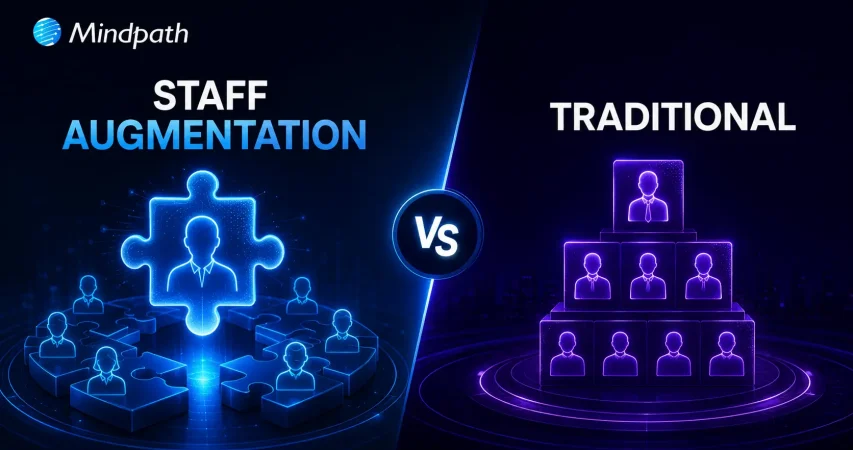
Staff Augmentation vs Traditional

IT staff augmentation offers a flexible, scalable, and cost-effective alternative to traditional hiring models. It enables businesses to quickly access specialized talent, adapt to changing project needs, and optimize resource allocation without long-term commitments. This approach enhances operational efficiency, speeds up hiring processes, and supports strategic growth in dynamic markets.

Are you struggling to find the right talent for your IT projects or facing challenges with traditional hiring processes? Traditional hiring could take months, but what if there was a faster, more flexible solution? Now, with IT staff augmentation, you may satisfy your project goals fast and effectively without the long-term commitment and expense associated with traditional employment.

In today’s fast-changing business environment, companies need to scale quickly and adapt to project demands. IT staff augmentation allows businesses to add skilled professionals to their existing teams without long-term hiring commitments, making it easier to adjust resources as project needs change.

What are the traditional hiring models?

Traditional hiring models cover a range of techniques used by businesses to onboard new staff members. Here’s a short breakdown:

1. Direct Hiring

This is the most popular approach used by businesses to hire people directly for full- or part-time jobs. It includes posting job positions, evaluating applications, setting up interviews, and choosing job applicants.

2. Temporary Hiring

Businesses employ people to do certain tasks or for a set amount of time. Temporary hires are made by the company itself or through employment agencies to cover short-term positions like project-based labour or seasonal labour.

3. Contractual Hiring

Contractual hiring is employing individuals or businesses under a formal contract to do certain activities or projects. Contractors may labour for a certain amount of time until the project is finished, and they are normally compensated for their services in accordance with the conditions specified in the contract.

4. Freelancers or Independent Contractors

Businesses employ independent contractors or freelancers on a project-by-project basis. They work for themselves and supply specialized knowledge or services on demand, frequently from a distance. They are not employees.

Drawbacks of traditional hiring models

Despite being frequently employed, traditional employment strategies include several drawbacks that businesses need to consider:

1. Time and Resource Inefficiency

It might take a while and a lot of resources to advertise job positions, evaluate applications, hold interviews, and decide who gets hired. This inefficiency frequently leads to protracted spells of unemployment, which affects output and pushes back project deadlines.

2. Cost Implications

Conventional hiring includes indirect costs like pay, benefits, and overhead related to permanent workers in addition to direct expenditures like advertising, onboarding charges, and recruiting agency fees (if applicable). Budgetary constraints may be strained by these costs, especially if turnover rates are significant or if highly skilled personnel require premium pay.

3. Rigidity in Staffing

In traditional models, once employed, workers usually commit to long-term jobs that might not match project-specific requirements or changing corporate demands. This lack of adaptability may cause resources to be overextended during peak hours or underutilized during off-peak hours, which would reduce overall operating efficiency.

4. Skills and Expertise Gaps

Access to the knowledge or abilities required for specialized projects or cutting-edge technology could not always be ensured by traditional recruiting practices. Talent with specialized skills may be difficult for organizations to find and keep, which might impede innovation and competitiveness in quickly changing sectors.

Overview of IT Staff Augmentation

IT staff augmentation is a flexible outsourcing model that helps businesses quickly add skilled IT professionals to their existing teams. Instead of hiring full-time employees, companies bring in experts on a temporary or project basis to fill skill gaps and meet project goals. These professionals are typically hired through staffing agencies, freelancers, or direct contracts based on the specific expertise needed.

Key Benefits of IT Staff Augmentation

1. Flexibility and Scalability

Two key benefits of hiring more IT professionals are flexibility and scalability. IT staff augmentation lets companies quickly bring in skilled experts when needed without making long-term hiring commitments. This helps businesses adapt to changing project demands while keeping work on track. It also allows companies to scale their teams up or down as projects change, reducing costs and making it easier to expand into new markets when needed.

2. Cost-Effectiveness

Staff augmentation is a cost-effective way to access specialized talent without the high costs of traditional hiring. It reduces recruitment, onboarding, and long-term employee expenses like benefits and office space. Companies can also scale their workforce based on project needs, helping them manage budgets more efficiently.

3. Access to Specialized Talent

Access to specialized talent helps companies quickly bring in expertise they don’t have in-house. By hiring skilled professionals through agencies or direct contracts, businesses can handle technical or short-term projects without making long-term hires. This approach improves project outcomes, drives innovation, and helps companies stay competitive in fast-changing industries.

4. Faster Hiring Process

IT staff augmentation helps companies hire skilled professionals much faster than traditional recruitment. With access to pre-screened talent, businesses can quickly fill roles, start projects sooner, meet deadlines, and stay flexible while reducing hiring delays and maintaining quality.

Choosing Between IT Staff Augmentation and Traditional Hiring

Criteria IT Staff Augmentation Traditional Hiring
Flexibility High – Can scale up/down as needed Low – Fixed, long-term commitments
Cost Cost-effective, reduced overhead Higher costs, including benefits and office space
Time to Hire Fast – Quick onboarding with pre-vetted candidates Slow – Lengthy recruitment and onboarding process
Access to Talent Access to specialized, global talent quickly Limited to available local talent
Project Adaptability Easily adapt to changing project needs Rigid, less adaptable to project changes
Commitment Short-term or project-based Long-term employment contracts

Conclusion

In conclusion, IT staff augmentation helps businesses stay flexible, scale teams quickly, and access specialized talent without the commitment of traditional hiring. It improves efficiency, optimizes resources, and keeps companies competitive in a fast-changing market.

Whether you need to scale for a new project or hire specialized IT talent, Mindpath offers flexible staffing solutions tailored to your needs. Contact us today to learn how we can support your business.
Support Is One Click Away

Featured Posts

Related Post

Saas tools

SaaS tools (Software as a Service tools) have become the backbone of modern businesses. These tools are empowering teams to achieve more with less and streamlining multiple operations. In fact, around 90 percent of companies believe SaaS solutions play a major role in assisting them to adopt new technologies more efficiently (Source: Artios)

But with thousands of tools available, how do you select the best SaaS tool for your business? Well, this comprehensive guide can help you simplify your search. In this guide, we have covered the 30 best SaaS tools that businesses can use to build a robust digital arsenal. Let’s have a look.

Want to offer seamless software experiences to your customers while optimizing internal processes? Mindpath’s SaaS development services deliver customized and robust applications to support your business goals.

What are SaaS Tools?

Before exploring the tools, let’s first understand the SaaS tools meaning. These tools are designed for flexibility and speed. You can use these tools through your browsers. That means you don’t have to worry about the download and configuration process. Just sign up, and you can start enjoying the benefits of these tools.

As everything is stored securely online, your team can effortlessly collaborate from anywhere. The best thing is that SaaS tools can scale easily as your organization grows. Check out the section below to explore the advantages these tools offer.

Want to stay ahead in a rapidly evolving digital landscape? Discover SaaS trends to learn how emerging innovations are reshaping the way businesses operate and scale.

Impressive Benefits of SaaS Tools

The strategic implementation of these tools can significantly transform your organization. With these tools, you will witness the following benefits:

1. Affordable Solutions

SaaS tools for small businesses offer scalable and affordable solutions to simplify operations, supporting growth.

2. Boost Productivity

A SaaS tool can automate repetitive processes, increasing the productivity of your team.

3. Scale Efficiently

These tools can adapt quickly based on your business requirements.

4. Enhance Custom Experience

They offer personalized and quick interaction through intuitive platforms.

Planning to invest in SaaS development but unsure where to start? Check out how to choose the right SaaS development services and learn the key factors that impact quality and scalability.

SaaS Development Process- A Quick Overview

Before we start exploring the SaaS tools list, it would be better to have knowledge of what is  SaaS development and how the process unfolds. In simple words, it is a comprehensive process of designing, developing, and employing a software solution in the cloud. The development process generally follows below mentioned stages:

1. Idea Generation

This is the initial phase of the process. It involves analyzing the business issues and market needs that can be fixed through a SaaS solution. It can be said that ideation creates a foundation for a successful development process.

2. Design

UX designers and developers work together to create user-friendly, intuitive interfaces that can enhance engagement and usability. They also prioritize responsiveness and accessibility of the solution.

3. Development

Next is development, the stage where developers create the actual SaaS tool using secure and scalable APIs and frameworks. This process includes database integration, frontend functionality, and backend logic.

4. Testing

This is a crucial stage as it ensures the tool functions smoothly, reliably, and securely. Developers validate the performance of the tool under different conditions through manual as well as automated tests.

5. Deployment

After thorough testing and necessary optimization, the product is then launched on platforms such as Google Cloud, Azure, and AWS. Once done, users can access the new product from anywhere.

6. Maintenance

The process doesn’t stop after the deployment. Ongoing maintenance of the tool is critical. Developers continuously monitor the tool and roll out bug fixes, updates, and new features regularly to keep the tool aligned with user requirements.

This development lifecycle ensures SaaS tools remain secure, flexible, user-centric, and scalable, offering a seamless experience.

Looking to improve productivity across your software ecosystem? Check out SaaS challenges for business and learn how to tackle adoption and integration problems.

Best SaaS Tools for Businesses

With countless SaaS tools available today, selecting the best SaaS tool can be challenging. Well, if you are in search of top tools that can help your business, then here is a curated list of the 30 best SaaS tools or  SaaS tools examples to consider.

For your convenience, we divided all these tools into different categories, such as sales, communication, HR, and more. Have a look.

Category 1: Communication and Collaboration

We all know that effective external and internal communication is crucial for constant business growth. These SaaS tools can be used to ensure seamless interaction.

While some consider this as a chat app, Slack is a robust team collaboration tool. It supports file sharing, real-time communication, and organizes multiple conversations into various channels. Besides, it seamlessly integrates with other SaaS platforms. Whether you have a remote or hybrid team, Slack can help you ensure seamless collaboration across departments as well as projects.

This is a comprehensive platform that combines conferencing, video calls, chat, Office 365 integration, and file sharing. Furthermore, this top SaaS platform also supports document co-editing and project collaboration. If your business is already using Microsoft products, this can be an ideal choice for you.

It offers an all-in-one platform for documents, databases, notes, and task management. Notion is highly customizable. It also comes with various AI features such as AI search, chatbot, writing assistant, research, and more to boost productivity. Notion is an excellent option for teams seeking knowledge sharing, streamlined workflows, and flexible collaboration.

It is a comprehensive suite that includes Docs, Slides, Sheets, Derive, and Gmail. Startups, small businesses, and large organization teams can use it to enable cloud-based productivity and collaboration.

It is a perfect option for quick video messages. You can also use it as a screen recording tool. Besides, it can help in giving quick updates and tutorials, lowering the frequency of live meetings.

Category 2: CRM or Customer Relationship Management SaaS Platforms

CRM tools are designed to help organizations to manage customer activities, track sales progress, and get detailed insight into customer needs and behavioral patterns. Some popular CRM SaaS tools you can opt for are:

This cloud-based CRM tool leverages AI to provide users with automated customer services, marketing, and sales automation solutions. Furthermore, it has many amazing features, like time awareness, flexible customization options, and powerful cloud infrastructure.

It provides businesses with a powerful free CRM option and also paid suites for marketing, sales, and customer service. If you are searching for the best SaaS tools for startups, this would be a perfect choice due to its integrated approach and user-friendly interface.

Well, Salesforce is a leader in CRM, offering powerful tools for managing sales pipelines, marketing, customer relationships, and support. This tool is ideal for growing and established businesses seeking enterprise-grade solutions.

This simple CRM SaaS tool focuses on building and improving customer relationships. With features like built-in SMS, emailing, and calling, Close ensures efficient and quick communication. Apart from these, you will find other useful features like task automation, reporting tools, sales insights, and more in this tool.

Category 3: Task and Project Tools

No matter the size, all businesses run on multiple projects, for example, running a marketing campaign or launching a new product. Managing numerous projects efficiently means keeping timelines clear, teams on track, and tasks organized.

This is where SaaS project management tools can help you ensure smooth management of projects.

It is a versatile project management tool designed to boost team collaboration and productivity. It provides users with built-in communication tools, a customizable dashboard, and Gnatt charts, simplifying resource planning and task tracking.

When talking about popular project management tools, we can’t ignore Trello. It utilizes visual boards and cards to efficiently organize multiple tasks, track progress, and assign responsibilities. It is an excellent option for creative projects, small businesses, and agile teams.

This SaaS project management tool comes with multiple useful tools like risk management, time sheets, Gantt charts, project dashboards, and time sheets. It can help businesses with resource allocation, project tracking, task management as well as financial management.

Asana assists teams in planning, organizing, and executing multiple projects with ease. It provides them with automation, reporting, dependencies, and timeline features to increase accountability and boost productivity.

This flexible work management tool streamlines team collaboration, project planning as well as team collaboration. With powerful integrations, ready-made templates, and interactive visual boards, it can support workflows for diverse industries.

Category 4: SaaS Sales Tools

Robust marketing and sales SaaS tools help organizations solidify their online presence and stay ahead of competitors. Whether you are managing leads or running multiple email campaigns, these tools can help you achieve desired results.

This CRM primarily focuses on sales pipelines. Using this platform, you can easily schedule follow-ups, track deals, automate tasks, and centralize sales data. It supports more than 500 integrations and comes with powerful built-in AI features.

ActiveCampaign facilitates marketing automation with accurate customer segmentation. It helps organizations create personalized customer journeys and optimize their campaigns through advanced analytics. ActiveCampaign is ideal for driving conversions and scaling engagement.

This platform combines all the functionalities of a CRM with built-in email, phone, and lead scoring. Using this, teams can streamline outreach, accurately track interactions, and close sales deals faster.

When it comes to choosing popular email marketing tools for your business, you can confidently go to Mailchimp. The platform offers features like audience segmentation, automation, analytics, and more. You can craft targeted campaigns, track performance, and automate emails, enhancing your customer relationships.

This all-in-one reporting automation tool can pull the latest data from multiple apps such as Google Analytics, Facebook Ads, and HubSpot. You can then access the data through spreadsheets or dashboards. Coupler.io is a perfect tool for marketing, sales performance analysis, campaign tracking, and detailed reporting.

Category 5: IT and Security Management

In this cloud-driven world, managing IT infrastructure and protecting digital assets is something that you can’t consider as optional. Whether you are an enterprise or a startup, these SaaS tools can help you safeguard data and streamline access control.

It is designed to provide users with a highly encrypted password storage system. Besides, it supports two-factor authentication and secure file sharing. With this, IT security teams enjoy centralized control and better visibility in access management. 1Password eliminates the “Access-Trust Gap”.

This password manager stores business and employee credentials, protects access, and enables encrypted file sharing across all devices. Businesses prioritizing user authentication, cybersecurity, and compliance can give it a try.

It is created for teams that need maximum visibility and quick fixes without any hassle. The tool offers compliance assistance, continuous vulnerability monitoring, manual pentest, and CI/CD integrations.

Cloudflare functions as a robust shield for the modern internet, creating a layer of security between the web and your application. It offers DDoS protection, advanced encryption, and a web application firewall.

Vicarius focuses on the vulnerability remediation process, making it quick and efficient. It can analyze assets, rank threats based on their exploitability, and protect applications while patching. Besides, you can integrate this with collaboration and ticketing platforms to automate task ownership and statuses.

Category 6: Design, Productivity, and Analytics Tools

Whether you are streamlining workflows, creating striking visuals, or tracking performance, this category covers some useful SaaS tools that can help your team work faster and smarter.

Using this, your team can get a complete picture of how visitors use your website. Besides, it helps to understand the source of traffic, what pages they visit, and the actions they take.

It is a drag-and-drop design platform that allows you to create everything from presentations, social media posts, to videos and logo creation. It is easy to use, fast, and offers AI-powered design functionalities.

Grammarly is popular for helping users write professionally and clearly. It can rewrite your sentences, resolve grammar issues, and keep the tone consistent. Furthermore, it helps you track time spent on a document.

Category 7: HR SaaS Tools

Undoubtedly, employees are the most important resource for every organization. If you can manage them effectively, ensuring long-term success will not be that challenging. And if you are looking for some powerful HR SaaS tools, here are some options to consider.

It is a simple-to-use, yet powerful HR platform for small to medium-sized organizations. It offers the necessary tools for hiring, onboarding, performance management, data management, and time tracking.

This modern HR tool is designed for fast-growing and dynamic companies. Using this, you can efficiently streamline core HR processes. It comes with a built-in recruitment module and robust reporting features.

This comprehensive HR suite offers payroll, talent management, benefits administration, compliance tools, and more. It also has robust integration and analytics capabilities.

The Future of SaaS Platforms

As SaaS development and adoption grow, we can expect to see:

1. Greater focus on responsive design for smooth remote access.

2. More ML and AI features in automation and analytics.

3. Enhanced compliance and security, especially for industries dealing with sensitive data.

4. Seamless integration with all SaaS tools.

Closing Thoughts

SaaS tools have become crucial for modern businesses as they can simplify multiple processes. With a top SaaS platform, it will be easier for you to boost collaboration, streamline operations, propel sales, and automate repetitive tasks. These SaaS tools are trusted and popular among industries.

If you want to create or harness the maximum potential of a cloud-based tool, then partner with Mindpath. We offer custom SaaS development services for small businesses and enterprises. Furthermore, our team ensures seamless integration of SaaS tools with your existing systems and other third-party tools. Let us help you unlock the true power of SaaS and transform your business’s efficiency and workflow.

DevOps Trends

Have you been paying attention to the speed at which DevOps trends are changing and how they are affecting businesses? If you’re managing a tech team or are just about to scale up your operations, you may already be thinking about the implications of these trends on your success. As more companies adapt to smarter workflows and quicker ways of delivering value, being up to date is critical. So, how can you stay on top of it without falling behind?

Finding the answer to this question involves understanding the trends that affect how we run businesses in the real world. DevOps best practices today are designed to bring automation, cloud-native tools, or security-first approaches to solve the problems we face in modern situations. Being aware of what’s meaningful and useful can help your team be more effective while accelerating time to market. In this blog, we will examine key trends and look at how they can create real results for your organization.

As businesses embrace DevOps in 2026, the need for expert guidance becomes crucial. At Mindpath, our DevOps services ensure organizations can adopt the right strategies and technologies to stay competitive.

Understanding DevOps: A Quick Dive-in

DevOps is a development approach in which software developers and IT teams collaborate on software and business processes. By working together, they share responsibilities and use tools to speed things up and facilitate the flow of work. DevOps is centered around good communication, collaboration, and automation. In essence, DevOps can deliver near-instant software, identify issues sooner, and get a better and quicker flow between building and deploying applications. As a result, many organizations leverage DevOps for business strategy and agility since it can enhance both speed and efficiency.

In this approach, one team often takes care of everything, including coding, testing, releasing, and maintaining the software. This removes delays and improves software quality. Teams use automation tools to speed up tasks and reduce errors. DevOps also brings security into the process right from the beginning, so it becomes part of every step. This working method helps businesses launch better software faster while keeping systems stable and secure.

Here are some of the benefits that DevOps can offer:

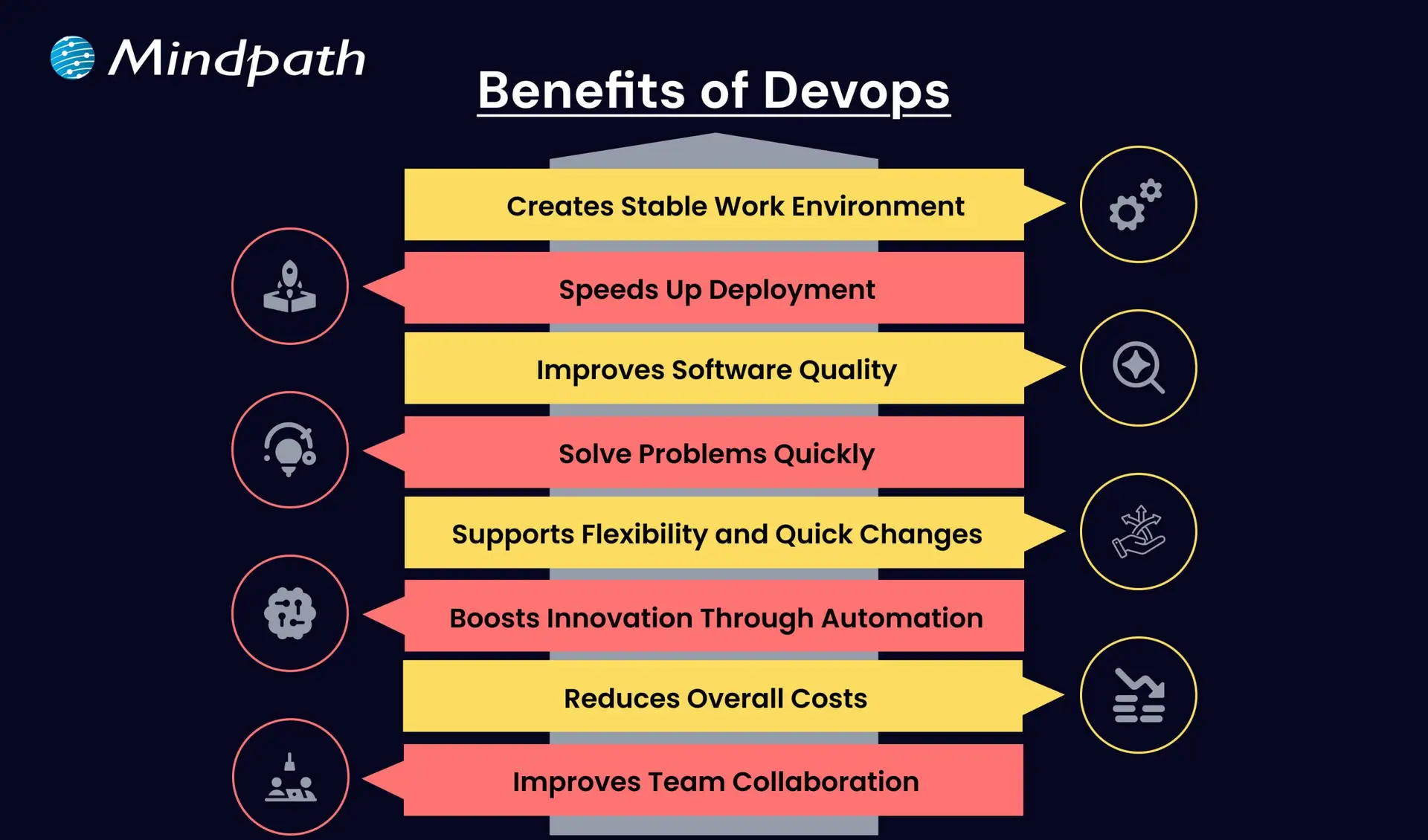
Benefits of Devops

1. Creates a Stable Work Environment

DevOps helps teams handle changes easily without stress. It brings a better balance to daily work and keeps operations running smoothly.

2. Speeds Up Deployment

DevOps allows faster software releases with fewer delays. This helps businesses deliver new features quickly and stay ahead in the market.

3. Improves Software Quality

With regular testing and feedback, DevOps helps catch bugs early. Teams can focus on creating better products with fewer errors.

4. Solve Problems Quickly

DevOps uses monitoring tools to spot issues fast. Smaller and frequent updates make fixing problems easier and more reliable.

5. Supports Flexibility and Quick Changes

DevOps builds a flexible work style where teams can respond to change easily. It helps businesses adapt to market needs faster.

6. Boosts Innovation Through Automation

By reducing manual tasks, DevOps gives teams more time for new ideas. This leads to faster improvements and better products.

7. Reduces Overall Costs

DevOps combines tasks and reduces the need for rework. This saves time, uses resources better, and cuts down project costs.

8. Improves Team Collaboration

DevOps encourages better teamwork and shared goals. Clear communication between teams leads to faster decisions and stronger results.

Aiming to enhance operational efficiency and reduce development risks? Check out our blog on DevOps Challenges and Solutions to discover proven approaches that improve performance, stability, and cross-team cooperation.

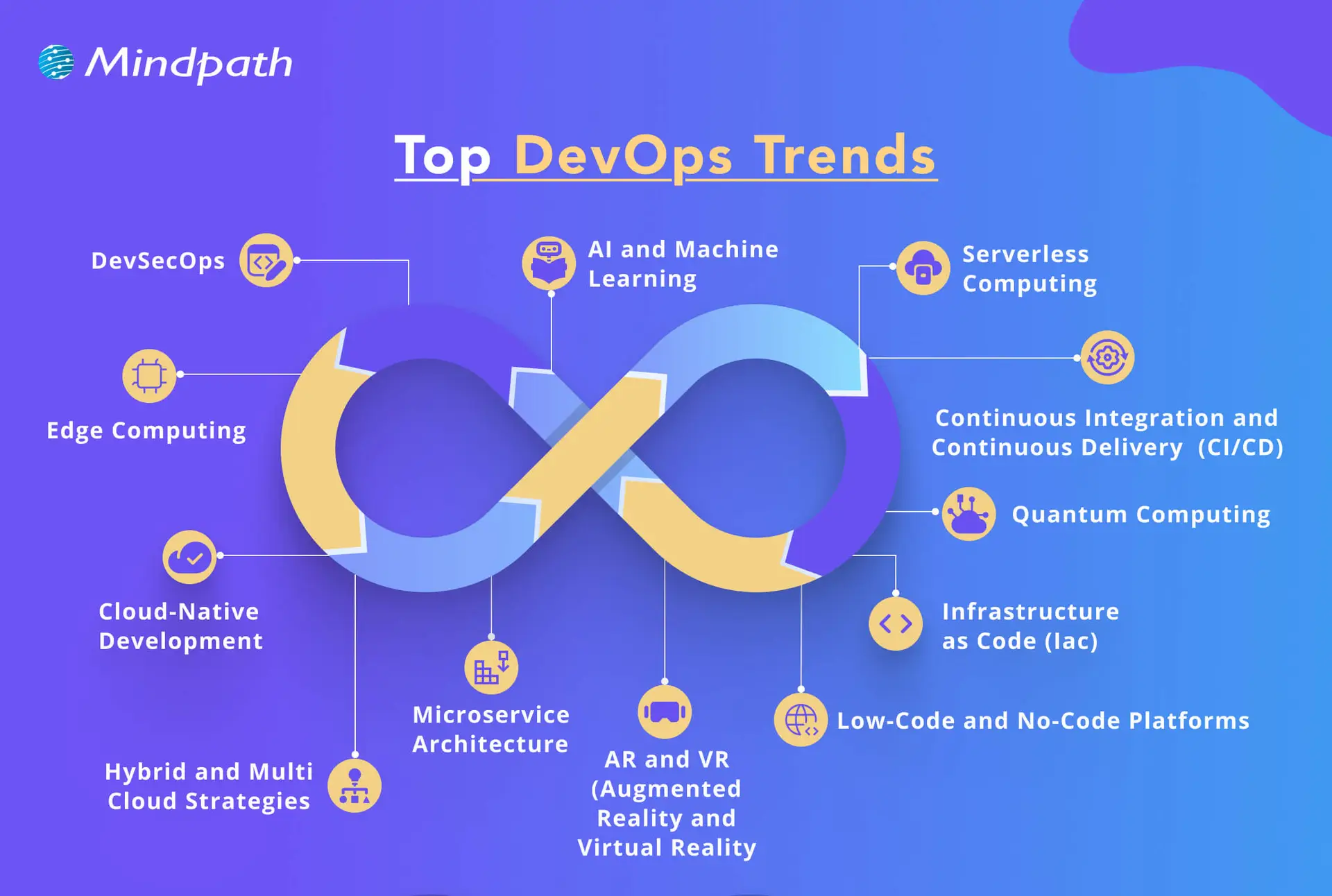
Top DevOps Trends 2026

As technology continues to evolve, companies are rethinking how they build, test, and deliver software. DevOps trends for businesses in 2026 show a clear shift toward smarter tools, stronger collaboration, and faster delivery. By following the latest DevOps transformation strategies, organizations can stay ahead and build systems that are both efficient and future-ready.

top devops trends

1. DevSecOps

DevSecOps is becoming a key part of DevOps innovation, where security is built into every stage of the development process. Instead of adding security at the end, teams now include it early to catch risks before they grow. This trend helps businesses create safer applications by using automated testing and continuous monitoring within the DevOps workflow.

2. AI and Machine Learning

AI and machine learning is one of the latest DevOps trends, helping teams work faster and smarter. These technologies support intelligent monitoring, find unusual behavior in systems, and give early warnings before issues grow. By using data to guide decisions, DevOps teams can improve system performance and reduce downtime.

3. Serverless Computing

Serverless computing is becoming a popular trend in DevOps for business success because it removes the need to manage servers. It allows teams to focus only on writing code, which speeds up development and reduces overhead. This approach also helps businesses save costs by using resources only when needed, making operations more efficient.

4. Continuous Integration and Continuous Delivery (CI/CD)

Continuous Integration and Continuous Delivery (CI/CD) is a key DevOps trend that helps teams deliver software faster and with fewer errors. It allows developers to regularly merge code changes, test them automatically, and deploy updates smoothly. This approach improves software quality and supports a steady flow of new features to users.

5. Infrastructure as Code (IaC)

Infrastructure as Code is a growing trend that helps teams manage infrastructure through written code instead of manual steps. It ensures consistency across development, testing, and production, reducing errors and saving time. As one of the leading DevOps tools and technologies, it allows automated setup and easy tracking of changes in infrastructure.

6. Microservices Architecture

Microservices architecture is a DevOps approach where an application is built using many small, separate services. Each service handles a specific function and can be updated or scaled on its own without affecting the rest of the system. This makes the software more flexible, easier to manage, and better at handling changes or failures.

7. Cloud-Native Development

Cloud-native development is a modern way of building applications that fully uses the power of cloud computing. It is one of the key DevOps trends helping businesses create software that can easily grow, move, and adapt to changing needs. By using containers and microservices, teams can build flexible and efficient systems that are ready for fast updates and smooth scaling.

8. Edge Computing

Edge computing is a growing part of modern DevOps trends that focuses on processing data close to where it is created. This reduces delays and improves the speed of applications by handling data locally instead of in a central server. It also helps save bandwidth and supports real-time decision-making, making systems faster and more efficient.

9. Hybrid and Multi-Cloud Strategies

Hybrid and multi-cloud strategies are important DevOps trends that give businesses more flexibility and control over their cloud usage. By using services from different cloud providers, teams can choose the best tools and features for each task. This approach improves performance, reduces risk, and avoids being tied to one provider.

10. Low-Code and No-Code Platforms

Low-code and no-code platforms are shaping the future of DevOps by making application development easier and faster. These tools allow non-developers to build and launch apps with simple interfaces, helping teams save time. By handling basic tasks through these platforms, developers can focus on more complex work and boost overall productivity.

11. Quantum Computing

Quantum computing is an emerging part of DevOps trends with the potential to solve complex problems much faster than traditional systems. Although still in the early stages, it may one day help teams handle advanced computing tasks more efficiently. As the technology grows, it could bring powerful new capabilities to DevOps in areas like testing, simulation, and optimization.

12. AR and VR (Augmented Reality and Virtual Reality)

Augmented Reality and Virtual Reality are becoming new DevOps trends that support better training, simulation, and team collaboration. These technologies create realistic, hands-on experiences that help teams learn and solve problems more effectively. AR and VR also improve remote teamwork by making interactions more engaging and productive.

Looking to combine fast DevOps practices with automated security checks? Check out our blog on DevOps vs DevSecOps to understand how DevSecOps adds proactive, automated safeguards to every stage of your pipeline.

Is Your Business Ready to Benefit from the Latest DevOps Trends?

DevOps trends continue to shape how businesses grow through faster delivery, better collaboration, and smarter tools. Staying updated helps teams move quickly, improve software quality, and remain competitive in a rapidly changing market. By understanding and applying these trends, companies can build stronger systems and create real value with every software release.

At Mindpath, we offer expert DevOps services that help businesses streamline processes, boost collaboration, and deliver software faster. Our team uses modern tools and proven strategies to support automation, cloud-native development, and continuous delivery. Contact us and we’ll guide you through each stage with clear planning, smooth implementation, and reliable support tailored to your business goals.

Frequently Asked Questions

1. How do DevOps trends in 2026 actually affect day-to-day development team operations?

DevOps trends in 2026 are directly changing how teams plan, build, and ship software daily. Automation reduces manual work, AI flags issues earlier, and cloud-native tools speed up deployments. Teams that adopt these shifts experience fewer bottlenecks, faster releases, and significantly better collaboration across development and operations functions.

2. Is DevOps only relevant for large enterprises or can smaller businesses benefit too?

DevOps works exceptionally well for businesses of all sizes. Smaller teams actually benefit faster because there is less organizational resistance to change. Adopting automation, CI/CD pipelines, and cloud tools helps small businesses compete with larger players by delivering software faster and maintaining higher quality with leaner resources.

3. How long does it typically take a business to see results after adopting DevOps practices?

Most businesses notice improvements in deployment frequency and team collaboration within three to six months. Deeper results like reduced downtime and better software quality take longer to measure accurately. The speed of results depends heavily on team readiness, tooling choices, and how consistently DevOps practices are applied across workflows.

4. What is the biggest challenge businesses face when shifting to a DevOps culture?

The biggest challenge is rarely technical. It is cultural. Getting development and operations teams to share responsibilities, communicate openly, and trust automated processes takes time and strong leadership. Many organizations underestimate this human side of DevOps adoption and focus too heavily on tools while neglecting team alignment and mindset shifts.

5. How does DevSecOps differ from traditional security practices in software development?

Traditional security is applied after development is complete, which creates costly delays and vulnerabilities. DevSecOps integrates security checks at every stage of the pipeline from day one. This proactive approach catches risks earlier, reduces remediation costs, and ensures that security never becomes a bottleneck slowing down release cycles.

Discover the latest DevOps trends to enhance collaboration, streamline processes, and drive business success.
Hire ReactJS Developers in New York

Hiring skilled ReactJS developers in New York necessitates careful research to guarantee you get the best fit for your project. Given the city’s competitive tech sector, it’s critical to go beyond technical talents and consider aspects such as experience, problem-solving ability, and communication. A well-rounded developer should not only excel at ReactJS development but also integrate effortlessly into your team and project objectives.

Searching for ReactJS experts to bring your ideas to life? At Mindpath, we offer top ReactJS developers to create secure, scalable, and responsive applications.

1. Technical Skills

When hiring skilled ReactJS developers in New York, it is critical to assess their technical talents. A strong applicant should have a solid grasp of React essentials such as components, props, state, lifecycle methods, and hooks in order to construct efficient apps. Proficiency in JSX syntax is required for designing dynamic user interfaces smoothly. Experience with state management frameworks like Redux assures that they can efficiently manage complicated application logic. They should also be proficient in performance optimization strategies to improve speed and responsiveness. Understanding unit testing frameworks like Jest and React Testing Library helps to maintain code dependability and stability in production scenarios.

2. Front-End Development Skills

Hiring skilled ReactJS developers in New York necessitates advanced front-end development expertise. A thorough understanding of HTML and CSS is required for properly constructing and formatting web pages. Developers should be skilled in creating responsive and visually appealing user interfaces that improve the user experience. Advanced JavaScript expertise, including ES6 capabilities like arrow functions, destructuring, and async/await, is required to write clean and efficient code. Their ability to modify the DOM, handle events, and operate with latest JavaScript frameworks allows for seamless front-end development. An experienced ReactJS developer uses these technologies to create high-performance, dynamic web apps.

3. Project Experience

When selecting skilled ReactJS developers in New York, it is critical to consider their project experience. A rich portfolio of previous projects indicates their ability to work on applications of diverse complexity, ranging from simple web interfaces to large-scale, enterprise-class solutions. Reviewing their prior work allows you to evaluate their ability to create scalable, high-performance React apps. Consider their sector knowledge, especially if your project demands experience in a certain area. Developers with industry expertise can better understand your company’s demands and provide solutions that correspond with your objectives, resulting in a more efficient and specialized development process.

4. Development Workflow

Hiring competent ReactJS developers in New York requires a well-structured development methodology. Proficiency in version control systems such as Git is required for effective code management, collaboration, and smooth change tracking. To ensure a seamless workflow, developers should be conversant with Git repositories, branching methods, and pull requests. Furthermore, expertise with build tools like as Webpack or Parcel allows better bundling, shorter load times, and higher application performance. These tools assist to speed up the development process by automating processes like code minification, asset optimization, and module bundling, resulting in a more efficient and maintainable ReactJS application.

Looking to hire expert ReactJS developers in New York with the right skills and experience? At Mindpath, we connect you with top talent who excel in React development, version control, and modern build tools to create high-performance applications.
Contact Mindpath today

Discover the ultimate guide to hiring Node.js developers in London. Learn about the skills, benefits, and cost factors involved in finding the right talent for your project.