Home

Top 10 Considerations When Hiring Talent through Staff Augmentation

Top 10 Considerations When Hiring Talent through Staff Augmentation

Join our Newsletter!

staff augmentation hiring

Staff augmentation has turned out to be a popular strategy for businesses that want to access specialised skills. As per the recent statistics, the IT staff augmentation market size is going to reach USD 857.2 billion by 2032 (Source). This approach can help you scale your workforce while remaining ahead in the competitive landscape.

If you are also thinking of staff augmentation hiring, there are several key factors that should be carefully considered. This ensures a seamless and effective integration of external experts into your organisation. In this blog, we will further explore what you should take into account when your staffing solution demands quality staff augmentation.

Looking for a faster way to strengthen your workforce without compromising on quality? At Mindpath, we offer staff augmentation services that help you scale your team with highly qualified professionals.

What Does Staff Augmentation Hiring Actually Mean?

Staff augmentation is a flexible outsourcing strategy where you temporarily add external professionals to your existing workforce to fill skill gaps or scale capacity. Further, 65% of recruiters are including AI tools in staff augmentation to support talent acquisition (Source). Unlike traditional outsourcing, augmented staff work directly under your management, integrating into your daily workflows. These experts bring specialised skills and new perspectives while understanding your team’s dynamics.

So, whether you demand a professional developer or a financial analyst, hire talent through staff augmentation if you want a solution without any permanent hiring commitment.

Staff Augmentation Best Practices that Let Your Company Perform Exceptionally

It is necessary for your business to meet the changing technology requirements of the digital world. Further, you need to keep your resources intact while keeping the project on track. The staff augmentation model accesses organisations to effectively fill in the skills gaps and maintains flexibility that is not possible in traditional hiring.

However, successful staff augmentation hiring needs careful planning and the right approaches, as given in this section.

1. Be Clear About Your Needs

Before you initiate the process of hiring through staff augmentation, it is important to have clarity about your business’s specific requirements. Understand what skills or expertise you are lacking internally? What are your goals, and why do you intend to outsource a new team?

Accurately defining your requirements can help you find the right talent. One of the most essential staff augmentation best practices is having clarity. The more precise your expectations are, the better the results will be.

2. Pick the Right Staff Augmentation Model

Not every project needs the same level of external support. There are some common types of staff augmentation models that are listed here.

  • Long-Term Augmentation

 This is effective for your ongoing projects that need to be completed within a given timeframe.

  • Short-Term Augmentation

 This approach is suitable for urgent or temporary requirements.

  • Skill-Based Augmentation

It is necessary when you require specific skills for your project.

3. Partner with a Reputable and Experienced Provider

Selecting the right IT staff augmentation services is a critical step in the whole process. So, you must research and pick a reputable company with a good track record of success. Further, the provider should have a well-established talent pool and a history of offering top-rated professionals. The team should also align with your business requirements.

4. Verify their Collaborative Features

Instead of just valuing the technical skills of the experts, you should also assess their collaborative standards. They should match your team’s communication approaches while showing compatibility with the workflow. You can also assess their language proficiency and ability to work in collaborative environments.

Poor or ineffective communication can delay your projects while increasing the misunderstanding rate. A good cultural fit ensures a seamless integration while developing your productivity aspects.

5. Be Assured of Data Security

When you hire talent through staff augmentation, the team might have access to your data. So, before you make a deal with them, sign NDAs and agreements. Ask about the security policies and restrict access as per the required roles. You shouldn’t ignore the security aspects at all. A single breach can tarnish your market reputation within minutes.

Planning to scale your workforce without overspending on full-time hires? Discover our cost-effective IT staff augmentation blog to learn practical cost-saving approaches while enhancing your workforce.

6. Go through the Pricing Structure

Average IT staff augmentation costs between USD 50,000 and USD 199,999. However, the pricing differs as per the requirements of your business. So, be assured of the providers’ monthly and hourly costs.  Also assess their administrative fees or if they have any hidden costs. Ask about their overtime policies and replacement guarantees.

7. Verify their Flexibility

Your project requirements might change anytime. A reliable staff augmentation model should allow you to scale your resources as needed. It should also allow you to replace underperforming talent quickly and add new skill sets when required.

Flexibility ensures your team can adapt to any changes without any delays.

8. valuate their Performance

Establish clear performance metrics and KPIs to verify the effectiveness of your augmented staff. Verifying the team on a daily basis can make the external team understand your project values while helping your project get completed on time.

9. Plan a Seamless Onboarding Process

Even experienced professionals seek clarity when it comes to keeping their project aligned with the business. So, your structured staff augmentation hiring process should remain clear about your needs. The external team should have precise access to tools and documentation. You should introduce them to your internal teams and define the workflows.

10. Exit Strategy

Understand what you are going to do when the specific project is completed. Make a plan for your transition and assess when you should end the services of your outsourced team.

Looking to streamline your team integration process for faster results? Check out our augmented staff onboarding guide to learn proven strategies for seamless execution.

Why Staff Augmentation Hiring is a Strategic Approach for Your Company?

The staff augmentation model can offer you a series of benefits if you implement it correctly.

  • It can help you hire faster as compared to traditional recruitment processes.
  • It offers access to global talent pools.
  • You can enjoy greater project flexibility and reduced operational charges.
  • Further, your project delivery will be completed within the given timeline.

Common Mistakes to Avoid in Staff Augmentation Hiring

While the model is very effective, organisations still make such mistakes that need to be avoided.

  • Selecting vendors based only on cost.
  • Hiring with clear project objectives.
  • Ignoring cultural fit.
  • Lack of onboarding and performance assessment.

Avoiding or preventing such mistakes can help your staff augmentation hiring be more result-oriented and convenient as per the market needs.

Looking to choose the right outsourcing model for your business needs? Check out our staff augmentation vs managed services comparison to learn the key differences and benefits.

When You Should Hire Talent through Staff Augmentation?

Consider this valuable approach if you need to quickly scale your development team or you want to bridge the skill gap. An outsourced team can easily support a new product launch while helping you with digital transformation. Most importantly, it can reduce the hiring overhead. IT augmentation services offer flexibility, speed, and long-term employment commitments that encourage your business productivity.

Bottom Line

Hiring talent through staff augmentation can be a strategic approach that can help your organisation with the right skills and expertise. Moreover, it can help you stand strongly in today’s competitive business environment. By following the staff augmentation best practices, you can easily build high-performing teams quickly.

If your company is looking forward to hiring talent through staff augmentation, benefit from working with professional providers who understand your project dynamics. They also understand your technical requirements and team integration. With Mindpath, staff augmentation services, your business can easily access knowledgeable industry experts. Further, we can assure you of achieving all your technology goals without any risks and delays.
Frequently Asked Questions

Businesses should evaluate technical expertise, industry experience, communication skills, cultural fit, and scalability to ensure augmented professionals integrate seamlessly with existing teams and project goals.
Select a provider with a proven track record, transparent pricing, rigorous talent screening, flexible engagement models, and strong client references for reliable project delivery.
A structured onboarding process helps external professionals understand your workflows, tools, and business objectives, enabling faster productivity and better collaboration with internal teams.
Use NDAs, role-based access controls, secure collaboration tools, and clear security policies to protect sensitive business information while working with external professionals.
Staff augmentation is ideal for short-term projects, specialized skill requirements, rapid team expansion, or addressing temporary resource gaps without long-term hiring commitments.

Support Is One Click Away

Featured Posts

Related Post

Custom Wordpress development

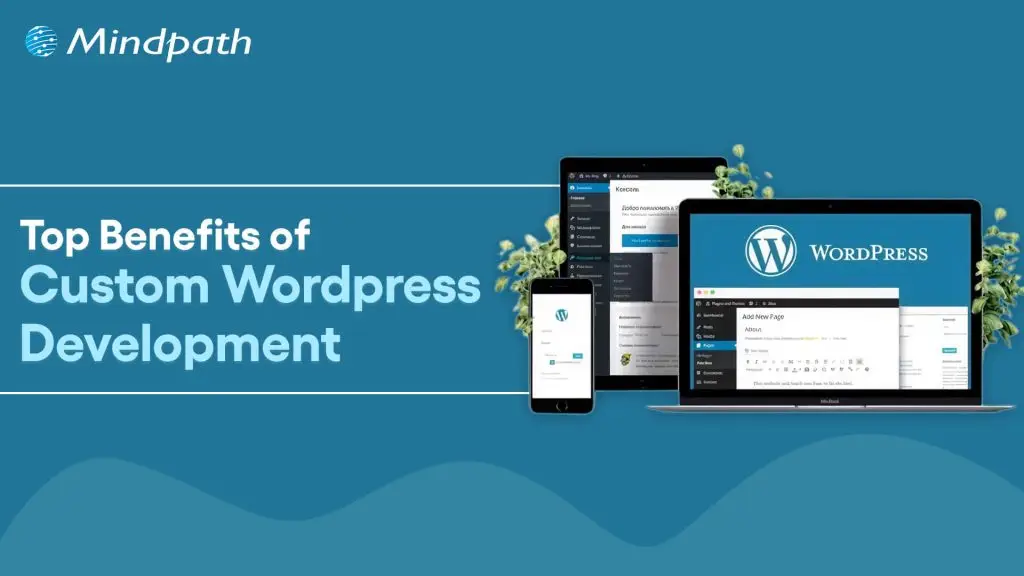
A website truly reflects your business motive and what it offers to its targeted audiences. Without a proper website, your organization can’t stand in this massive digital world. However, if you think your website is just to highlight your business, then you are misguided. As per a statistic of Stanford University, around 75% users judge the credibility of a business through their website design. So, for your long-term success, you must adopt a well-optimized website. 

This is where custom WordPress development serves uniqueness. Being the most popular software for creating websites, it powers over 43% of the internet. (Source: Click) Instead of limiting your vision to a similar theme, custom development accesses your site to be curated from the core. 

Ready to turn your website into a powerful business asset? Mindpath offers expert WordPress development services to create scalable and high-performance solutions built for your business growth.

What is Custom WordPress Development?

Custom WordPress development is the practice of building tailor-made websites, bespoke themes, and custom plugins from scratch, using WordPress as the foundation. Unlike relying on pre-existing themes that hundreds of other sites use, a custom website is architected specifically to align with your unique business workflows, design needs, and system integrations. This means every element, from backend frameworks to front-end features, is precisely crafted around your preferences, requirements, and values.

  • Pre-existing themes might be convenient for many users as they are a bit affordable. However, they come with certain risks of flexibility and generic layout. 
  • On the other hand, a custom WordPress website leverages creative freedom. You can develop your own layouts and include features that suit your interests.

How Adopting Custom WordPress Development Services Can Be Beneficial for Your Business?

Let us go through some major benefits that you can discover by choosing the custom WordPress development services

1. Seamless and Faster Development

You don’t require a backend in WordPress website development. Unlike traditional website creation, where every element is generated individually, WordPress sites allow you to choose a framework as per your business requirements and preferences. This enables you to quickly develop your site. With rapid development, you can also save your time and resources. 

2. Custom Theme Creation

In custom WordPress development, you can’t only transform the tagline but also change the overall appearance and functionality of your site. You can decide the changes as per the growing demand of your business. You can transform all such things by shifting the color palette, layout design, and widgets. Moreover, WordPress delivers a wide range of layouts that support multiple levels of business objectives. 

3. User-Friendly Web Designs

Ease of use is another significant factor that makes businesses prefer custom WordPress development services. It offers intuitive and straightforward operations. So, you don’t require any coding expertise to operate your business site effectively. The availability of multiple customizable plugins and themes can help you create a business site that meets your business expectations widely. 

4. Adopt Scalability

Getting a WordPress website developer can assist you in scaling your website as your company scales. You can also discover flexibility with custom WordPress development as per the dynamic nature of your company. So, be it an e-commerce or an advanced site, WordPress can help you effortlessly scale without compromising on quality. This offers you the benefit of staying relevant in such a digital era. 

5. Wonderful Designs

A pleasing, satisfying design can help your site attract prominent prospects while making your website look more professional. So, with the help of WordPress custom website design, you can easily enhance its reach while making its user interface valuable. Moreover, it puts a valuable first impression while converting your visitors into loyal customers. 

6. Social Media Handle Integrations

This is one such major value of a custom WordPress development, where your site can adopt social media implementation into your feed. This feature allows you to highlight your social accounts on your site. The valuable addition of the accounts can help you attract a larger number of visitors to your page without utilizing several media handles for your organization. 

7. Long-Term Support and Maintenance

One such overlooked advantage of a WordPress custom website is the seamless partnership and assistance you leverage. With the evolving nature of your business, your team can integrate new features and redesign without initiating it from scratch. This ensures quick integration and minimal downtime.

Looking to make your custom WordPress site usable for everyone? Explore our guide on web accessibility guidelines to learn practical ways to enhance your WordPress site and improve user experience.

What are Some Common Misconceptions People Have Regarding Custom WordPress Development?

WordPress comes with a series of features that remain unmatched. Further, a WordPress website developer can help you design a site that truly reflects your authenticity. However, there are some misconceptions that people have regarding this platform, as follows. 

1. Security Lapses

Many people consider that plugin incorporation can give rise to security threats in WordPress. However, the platform is extremely secure. Further, the platform has started investing in security releases. 

2. The Platform Is Solely for Blogs

WordPress generally powers around half of all the sites available on the internet. So, it has much more to offer beyond serving only as a blogging platform. 

3. Limited Support

This is another piece of misinformation that is spreading over the market. For your information, WordPress has a dedicated and active community of contributors who introduce new features and themes. Moreover, this community offers significant help to user challenges and fixes bugs rigorously. 

Concerned about security risks in custom WordPress development? Check out our blog on safeguarding common WordPress vulnerabilities to understand how to prevent attacks and data loss.

Who Should Opt for Custom WordPress Development Services?

A WordPress custom website is not only for tech influencers and huge corporations. It can be a smart strategy for many businesses that want to strengthen their online presence. Custom development delivers flexibility while keeping you aware of long-term values. 

1. Small Businesses

It is essential for a small business to stand out in a competitive market. So, a template website might make you go live quickly, but it doesn’t reflect any professionalism or significance. So, you should stay true to the business goals that can help you build trust while maximizing the conversion rate. 

With custom WordPress development, you can get a real and purpose-efficient site that matches your customers’ expectations. Accordingly, local SEO efforts can be included directly into your site structure. Most importantly, you can avoid the risks of basic themes along with other features.

2. E-commerce Businesses

E-commerce websites always come with complex requirements, starting from product page handling to up-to-date inventory management. So, a pre-existing layout can’t offer your customers a seamless shopping experience. But custom WordPress development can eliminate such issues with the right solutions. 

You can customize your checkout strategies and customer experience for better conversion. Further, you can integrate your site with other necessary tools. 

3. Startups

Startups always require scalability and agility. So, with your audience growth and offering shift, your website should be ready to evolve. Here, it is essential to get a flexible backend that gives you access for easy scaling and feature additions. In order to do that, you can build a site that highlights credibility and innovations. 

4. Content-oriented Platforms

Media brands, agencies, and bloggers mostly prefer publishing bulk content while handling their consistency and site performance. This is where a WordPress website developer can be your ultimate help. You can design a secure workflow that excels your editorial practices. 

Looking to get the most out of custom WordPress development for your website? Explore our guide to hire a WordPress developer and ensure your site is built for performance, security, and scalability.

Conclusion

Your site is generally the foremost impression users have of your brand. So, it shouldn’t be ordinary at all. In today’s quick digital world, where user experience, speed, and site design decide the conversions, custom WordPress development is a necessity. So, by hiring a WordPress developer and  prioritizing a custom WordPress site, you can discover a platform that understands your business terms and goals. 

If you are ready to proceed towards the next step of building a site that fuels results, it’s time for you to partner with experts who breathe WordPress. Mindpath specializes in excellent custom WordPress site development services and ultimate support. Starting from custom functionality to precise optimization, it ensures your website is up to the mark.

Frequently Asked Questions 

Discover the top benefits of custom WordPress development, easy maintenance, SEO-friendly, quick launch, and more. Transform your website today with Mindpath!
Cloud Disaster Recovery

Today’s digital-first world has made businesses heavily depend on data, applications, and uninterrupted operations. But have you ever thought about what will happen if a cyberattack happens or your system fails to perform as expected? This is where cloud disaster recovery becomes a crucial inclusion. As per the recent reports, the cloud disaster market size is growing at a CAGR of 24.94% and is expected to reach USD 71.8 billion by 2032.

A detailed recovery approach can ensure your business can bounce back quickly with minimal data loss. So, understand that a cloud computing disaster recovery plan has become a necessity.

Looking for a reliable way to manage your cloud infrastructure while improving performance and reducing operational costs? At Mindpath, we offer managed cloud services that help businesses optimize, secure, and scale their cloud environments with ease.

What Does Cloud Disaster Recovery Mean?

When a business loses its data, its operations will be affected, resulting in huge losses. So, it is necessary to understand the importance of and why your company needs cloud disaster recovery solutions.

  • The process refers to backing up data, applications, and IT infrastructure in a cloud environment so you can revive them quickly even after a disruption.
  • Instead of depending on physical backup systems, businesses can use cloud-based disaster recovery services to replicate and store their systems in secure and off-site cloud servers.
  • In case of any failure, you can easily revive these systems within minutes.
  • Cloud-related disaster recovery plays an important role in ensuring your company can save integral data from loss.
  • It is like investing in your secondary storage that can be easily activated when required.

Why are Cloud Disaster Recovery Solutions Important for Your Business?

Around 72% of organizations are worried about their future cybersecurity risks arising due to hybrid or remote working facilities. So, every business, regardless of its size, faces risks of hardware failures and human errors. Here is why a cloud computing disaster recovery plan is important.

1. Ensure Business Continuity

Your downtime directly hampers your revenue and customers’ trust. So, cloud DR can help you maintain operations by quickly restoring the systems while lessening the chances of more interruptions.

2. Safeguards Critical Data

Data is considered to be essential for your company. So, cloud computing disaster recovery secures your backups and eliminates the chances of data loss during any mishaps.

3. Strengthens Cloud Security

Modern cloud solutions involve encryption, access control, and compliance features. All these elements can easily encourage your overall cloud security for businesses.

Ready to strengthen your business against unexpected cloud disruptions? Check out our blog on cloud security risks to understand potential threats and how to mitigate them effectively.

4. Faster Recovery

Cloud environments can maintain your speed. Moreover, automated systems ensure quick recovery times. This enables your business to meet regulations while resuming delays without any inconveniences.

5. Improved Compliance

Many industries need strict data protection standards. So, cloud DR solutions can help your business meet the regulatory requirements by offering proper built-in security.

6. Lessens Operational Disturbances

By automating your backup and recovery processes, It can reduce manual operations. Further, this reduces the chances of human errors while preventing your operations from unexpected events.

These are some of the essential benefits of a disaster recovery plan that you should be aware of.

Looking to strengthen your cloud disaster recovery strategy? Learn which top cloud security tools can protect your business from data loss and cyber threats.

What are the Eminent Types of Disaster Recovery in Cloud Computing?

Understanding the types of disaster recovery in cloud computing can help your business pick the right strategies, as given here.

1. Pilot Light

This is a minimal version of your environment that runs in the cloud and is ready to scale during a serious disaster.

2. Backup and Restore

This data is periodically backed up and restored when required. Further, it is cost-effective, and it results in some data loss depending on your backup frequency.

3. Warm Standby

It is a scaled-down and fully functional system that runs continuously while allowing faster recovery.

4. Multi-Site

Fully replicated systems run at a time across multiple locations, ensuring near-zero downtime.

Each type comes with a different level of recovery speed, cost, and complexity.

Want to future-proof your disaster recovery strategy with modern cloud solutions? Explore the cloud computing trends to deepen your understanding and stay ahead.

Major Disaster Recovery Strategies for Your Businesses

To initiate effective disaster recovery strategies, you need to be aware of some steps as listed in this section.

  • Understand your potential threats like power failures, cyberattacks, and natural disasters. Moreover, verify which type of disaster can be avoided effectively through cloud-based disaster recovery services.
  • Set clear Recovery Time Objectives and Recovery Point Objectives to determine your acceptable downtime and data loss.
  • Ensure continuous and error-free data replication across several cloud regions.
  • An automated recovery process can easily minimize manual errors while guaranteeing faster execution. So, regular testing should be on your list.
  • Always pick reliable cloud-based disaster recovery solutions for better performance and security.

Do you know which cyber threats pose the biggest risk to your cloud infrastructure? Discover the most common cloud computing attacks and how to protect your business from them.

Cloud-Based Disaster Recovery Services vs. Traditional Techniques

Here you can go through a detailed comparison between cloud-based disaster recovery services and traditional techniques that were used before.

Elements Cloud DR Traditional DR
Cost Pay as you use High upfront charges
Recovery Speed Faster Slower
Scalability High Limited
Maintenance Minimal High

Common Challenges You Might Face in Cloud Disaster Recovery

While disaster and recovery are the most essential parts of your business, cloud-based disaster recovery can offer you a series of benefits. However, it comes with potential challenges you also need to be aware of.

  • Data privacy challenges when handing it over to third-party providers.
  • Highly relies on internet speed.
  • Your company needs to process high subscription charges.
  • You might deal with complexities in multi-level environments.

However, these challenges and risks can be easily eliminated with the right planning and partners.

Wondering how cloud solutions can improve your business resilience and efficiency? Check out our blog on the benefits of cloud migration to explore its advantages and real-world impact.

Best Practices for Implementing Your Cloud Disaster Recovery

To maximize the benefits of a disaster recovery plan, you need to follow certain practices. Always test your plan and encrypt the sensitive data to prevent it from breaches. Further, maintain multiple backup locations and train employees on recovery procedures. Most importantly, always monitor your systems. These practices ensure that your business is always prepared to handle unexpected disruptions with the right approaches.

Bottom Line

Cloud disaster recovery should be a must for your business. Starting from saving your data to providing you security, it keeps your modern organization aligned. By implementing the right it solutions, you can easily prevent your company’s future from uncertainties.

Mindpath can be your ultimate hub to help your business build robust and secure cloud environments. With our cloud managed services, we provide precise consultation, deployment, and ongoing management to avoid trial-and-error methods. Moreover, we empower your organization to stay competitive and responsive even in high-risk situations.

FAQs

What is Cloud Disaster Recovery?

Cloud disaster recovery is known to be a solution that stores and restores your business data and applications in the cloud. Moreover, it ensures quick recovery and fewer disturbances during unexpected events.

Why Does My Business Need a Disaster Recovery Plan?

A disaster recovery plan can help your business be prepared for cyberattacks, system failures, and natural disasters.

Is Cloud Disaster Recovery Necessary for Small Businesses?

Cloud-based disaster recovery is highly preferable for small businesses due to its cost-efficiency. Moreover, it accesses enterprise-level protection without heavy investments.

What are Some Common Risks Eliminated Through Disaster and Recovery Planning?

Disaster and recovery planning generally covers cyberattacks, human errors, and hardware failures. Further, it ensures your businesses can recover quickly from any type of unexpected disturbances.

How Secure are Cloud-Based Disaster Recovery Services?

Cloud-based disaster recovery services deliver strong security features like access controls, security, and compliance regulations. These measures can help you protect sensitive business data from unauthorized access.

Remote work tools

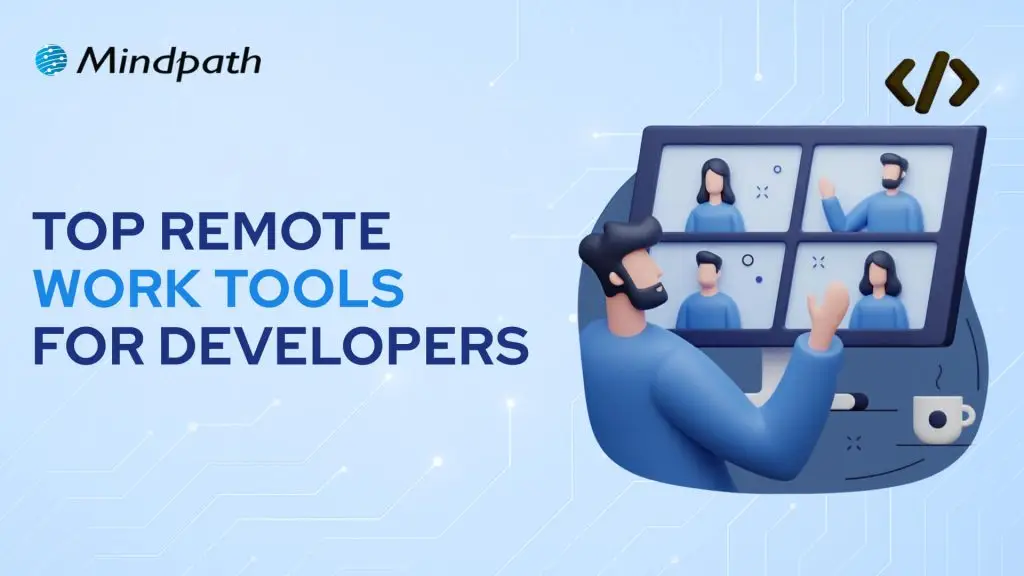
The global workforce went through a seismic shift in the last four to five years, with remote work gaining momentum. Just like many other remote jobs, developers need remote work tools to deliver their best in all tasks. As remote development teams become the norm in many organizations, it is important to know which tools can boost their productivity and efficiency.

Remote work has introduced many opportunities, such as easier access to global talent, cost reduction, and flexibility to work. At the same time, you must also take note of the prominent challenges for remote development teams, such as communication gaps and a lack of transparency. Therefore, remote development teams need reliable tools to achieve better results in their work.

Ready to boost your development capacity with the talented remote experts whom you can trust? At Mindpath, we will match you with skilled developers according to your specific requirements.

Do Remote Developers Need Special Tools?

Yes, every remote developer needs tools that help them improve their productivity. The utility of different tools for remote workers revolves around the fact that they don’t have an office-like infrastructure in their homes. Remote developers have complex responsibilities, which call for attentiveness and focus on strategic tasks. How will developers achieve all this while working in collaboration with other teams? You must look for tools that can help remote workers with different aspects of their work in the comfort of their homes.

Remote developers need different types of tools to boost their productivity in every stage of the development lifecycle. Development teams can use tools for remote work to streamline unwanted complexities in coding and tracking work. The diverse assortment of working from home productivity tools for developers focuses on development environments, collaboration tools, virtual assistants, and complete developer platforms. Developers working from their homes can leverage these tools to boost their productivity and deliver results in alignment with business goals. 

Unraveling the Top Remote Work Tools for Developers in 2025

The growing adoption of remote work in almost every organization is a testament to the fact that workers will need tools that fill essential resource gaps. For instance, the top 10 remote working tools for developers will not only allow them to communicate with their teammates but also find spaces for shared programming. An overview of the distinct traits of different tools used for remote work by development teams in 2025 can help you understand their significance.

1. GitHub

You can pick any list of developer tools used worldwide, and there’s no way you wouldn’t find GitHub on it. GitHub is the most popular tool used by developers and offers a comprehensive development experience with access to various tools. It is one of the best tools for remote working as it facilitates the benefits of code collaboration and DevOps in one package. 

Development teams can use GitHub Copilot as their AI coding partner to boost their productivity. GitHub also provides cloud-based development environments through Codespaces, thereby reducing resource requirements. On top of it, the features for code scanning, dependency updates, and secret detection help in identifying vulnerabilities before they enter the production stage.

2. Slack

Communication is one of the biggest priorities for any remote development team. Slack is the best tool for remote work in development teams as it centralizes communication for the entire development workflow. For instance, the Huddles feature in Slack allows developers to conduct quick calls without scheduling. 

The best thing about Slack is that it manages all conversations across the toolchain on one interface. With Slack, you can know when Jira updates the ticket status or GitHub provides notifications for pull requests. Another crucial feature of Slack is ChatOps, which offers a command-line approach to development operations on a simple chat interface.      

3. Visual Studio Live Share

The workflow of remote development teams will be incomplete without screen sharing. Some of the best tools for remote work in the domain of software development are screen sharing apps. Remote developers can use screen sharing to review code or write it together. Virtual Studio Live Share offers a transformative experience in shared programming, which empowers developers with control and flexibility.

VS Live Share is a powerful tool for shared debugging or welcoming new developers to the team. It offers a collaborative debugging feature that helps remote development teams streamline the process. Senior developers can inspect the variables and set important breakpoints that serve as guiding lights for junior developers. On top of it, junior developers can also ask questions in real-time and learn crucial debugging techniques.  

4. Zoom

Collaboration through video can be a prominent strength or a setback for remote development teams. Zoom is probably one of the best working from home tools that remote workers rely on for video conferencing. It can help you handle team meetings, client calls and even shared programming sessions. The biggest positive point of Zoom is video quality, which helps remote developers run critical operations without glitches in communication.

One of the prominent features of Zoom that helps developers is the set of robust APIs that help in building custom integrations. In addition, developers can also utilize the SDK options in Zoom for video embedding in the applications they create. The screen sharing feature offers the facility of annotations, which makes it easier for participants to communicate consistently. 

5. Figma

The collection of top tools for remote development teams in 2025 also includes Figma, a reliable design and development platform. It is one of the best tools for remote developers to solve one of the most troublesome aspects in product development. Figma helps in managing the transition from design to code with ease by leveraging different features. The real-time collaboration feature of Figma allows multiple users to edit code simultaneously. 

When combined with the Dev Mode of Figma, the real-time collaboration feature helps in bridging the gap between creativity and practical solutions. The component-based approach of Figma brings the best of modern development frameworks, thereby making it a must-have for remote developers.

Looking to boost productivity and innovation while working remotely? Explore our blog on the top GenAI Tools driving the future of AI development to understand how these tools are empowering developers beyond traditional remote work platforms.

6. Jira

Thousands of developers vouch for Jira as their first choice for project management, especially in remote teams. It is one of the digital working tools that come with a steep learning curve albeit with undisputed benefits for remote developers. Jira is a formidable software development tool that offers extensive customization options and the value advantages of agile methodologies. 

Engineering teams can capitalize on Jira for sprint planning, issue tracking and tracing the entire development lifecycle. With the right configuration and training, remote developers can use Jira to create any workflow model. Furthermore, the Jira Query Language also helps remote development teams extract relevant and productive insights.

7. Confluence

The next top tool for remote development teams is Confluence, a reliable tool for structured documentation. It is a trusted addition in the list of WFH tools that offer a broad set of features and options for better scalability. The support for Jira integration in Confluence streamlines the workflow, starting from ideation and planning to deployment. 

Confluence also helps in maintaining comprehensive documentation with the flexibility for arranging information according to project requirements. The most crucial advantage of Confluence is the assurance of access to updated information and extensive search capabilities.

8. Linear

The competition for effective project management tools in remote work is growing continuously, and Linear is a top competitor. It is a promising remote work tool for project management that works effectively for fast-paced development workflows. Linear provides one intuitive platform for tracking issues, team collaboration, and project planning. 

Remote development teams can capture, categorize, and resolve bugs in their apps with Linear and access real-time updates for better collaboration. The clear interface and collection of features, such as an issue tracker and team collaboration tools, make it a trusted alternative to popular project management tools.

9. Notion

Can developers find tools that offer an all-in-one workspace? Notion has the answer as it is a trusted remote working platform with the flexibility required by developers. It can help in creating engineering knowledge bases with database links for team members, technical decisions, and projects. 

Many remote development teams have adopted Notion for project documentation, combining meeting notes, personal task management, and onboarding guides. On top of it, developers can also leverage Notion AI for generating content and summaries.

10. Miro

The final addition to this list of promising tools for remote development teams is Miro. It is an online whiteboard platform on which developers can collaborate with each other through visual tools. Miro is the top pick among apps for remote workers that make collaboration as easy as possible. The unlimited canvas allows remote developers to organize massive volumes of information while creating a visualization of complex ideas.

Miro can help remote developers in brainstorming with other team members, contributing to the session in real-time. It also facilitates built-in communication tools that allow remote development teams to conduct interactive meetings and workshops. 

Wondering how teams can work smarter in remote environments? Explore how AI Consulting helps in enhancing productivity, collaboration, and decision-making by AI-driven strategies.

Ready to Choose the Right Tools for Remote Development Success?

The insights on some of the most commonly used tools by remote development teams reveal that each tool brings something unique to the table. Many teams want to try free remote work tools before taking the subscription, and that holds them back from experiencing the best tools for remote development. Whether it is a workspace or a collaboration tool, remote developers must pick the ideal tools that enhance their productivity without any burden.

At Mindpath, we help businesses build efficient remote development ecosystems by guiding them in selecting and using the right tools. Our experts ensure seamless integration, optimized workflows, and better collaboration so your teams can perform at their best consistently. Contact us today and achieve smarter and more efficient remote development.

Discover the top 7 tools for managing remote development teams, boosting collaboration, communication, and productivity.